Introduction
Nanalogue = Nucleic Acid Analogue
A common pain point in the genomics community is that BAM files are information-dense which makes it difficult to gain insight from them. Nanalogue hopes to make it easy to extract and process this information, and forms a companion to other tools such as samtools and modkit. Although nanalogue's primary focus is on DNA/RNA modifications on a single-molecule level, some of its functions are quite general and can be applied to almost any BAM file. Nanalogue is open-source and its code can be found on Github. The code of a companion package pynanalogue can be found here.
If you are a developer who needs BAM files with defined single-molecule modification patterns to help develop/test your tool, nanalogue can also help you create BAM files from scratch using artificial data created using parameters defined by you.
This documentation site is under active development.
Usage
This book is divided into two parts, based on two out of the following three ways to use nanalogue:
- as a command line interface i.e. a tool that can be run from the terminal. See here.
- as a python library i.e. if you write python code, you can use pynanalogue, a wrapper around a subset of nanalogue's functions. See here.
- as a rust library i.e. if you write rust code, you can benefit from nanalogue's functions. If you are a rust developer looking to use nanalogue as a rust library, please head over to docs.rs.
Nanalogue is also available in other forms:
- as a Node.js package for use in JavaScript/TypeScript projects.
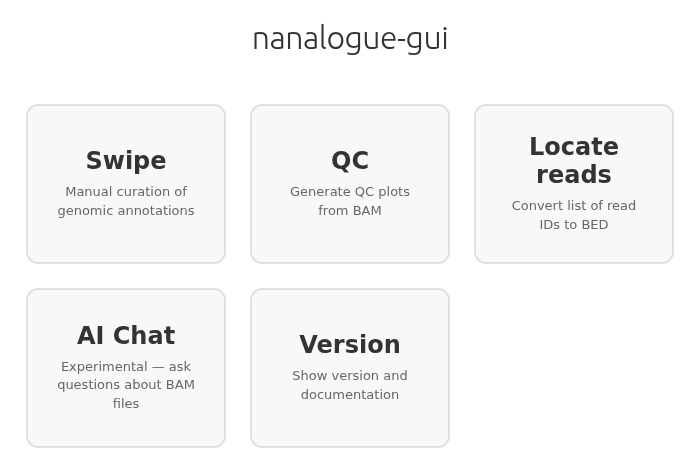
- as a GUI application for those who prefer a graphical interface.
Installation
Using Cargo
Run the following command to install or update nanalogue for usage on the command line:
cargo install nanalogue
cargo is the Rust package manager. If you do not have cargo,
follow these instructions
to get it. On Linux and macOS systems, the install command is as simple as
curl https://sh.rustup.rs -sSf | sh
If the cargo install command fails, try using the --locked flag:
cargo install nanalogue --locked
This uses the exact versions of dependencies specified in the package's Cargo.lock file,
and fixes install problems due to newer packages.
Using Docker
You can also use nanalogue via Docker:
docker pull dockerofsat/nanalogue:latest
Pre-built Binaries
The easiest way to install pre-built binaries is using the install script:
curl -fsSL https://raw.githubusercontent.com/DNAReplicationLab/nanalogue/main/install.sh | sh
The script requires curl (or wget), unzip, jq, and sha256sum (or shasum).
Alternatively, pre-built binaries for macOS and Linux are available from:
-
GitHub Releases: Official release binaries can be downloaded from the Releases page. Each release includes binaries for multiple platforms.
-
GitHub Actions Artifacts: Binaries built from the latest code are available as artifacts from the Build Release Binaries workflow. Download the binary artifact for your platform (macOS, musl Linux, manylinux variants for different glibc versions).
Python Library
To install the Python wrapper pynanalogue:
pip install pynanalogue
Node.js Package
Requires Node.js 22 or higher. To install the Node.js bindings:
npm install @nanalogue/node
For more details, see the nanalogue-node repository.
GUI Application
The GUI application provides a desktop interface for working with BAM/CRAM/Mod-BAM files. Pre-built binaries for macOS and Linux are available from the releases page. For Windows, we recommend running the Linux binary using WSL.
To build from source (requires npm and git):
git clone https://github.com/sathish-t/nanalogue-gui.git
cd nanalogue-gui
npm install
Then start the app with npm start.
For more details, see the nanalogue-gui repository.