Introduction
Nanalogue = Nucleotide and Analogue
A common pain point in the genomics community is that BAM/CRAM files are information-dense which makes it difficult to gain insight from them. Nanalogue hopes to make it easy to extract and process this information, and forms a companion to other tools such as samtools and modkit. Although nanalogue's primary focus is on DNA/RNA modifications on a single-molecule level, some of its functions are quite general and can be applied to almost any BAM file. Nanalogue is open-source and its code can be found on Github. The code of a companion package pynanalogue can be found here.
If you are a developer who needs BAM files with defined single-molecule modification patterns to help develop/test your tool, nanalogue can also help you create BAM files from scratch using artificial data created using parameters defined by you.
This documentation site is under active development.
Talks and posters on nanalogue
- See RSEEE WHPC Talk 2026 presentation for a slide-deck version of the
AI chat features of the
nanalogue-guiproject. - See the poster for a poster I presented at the Oxford NanoporeTech London
Calling conference 2026 on the AI chat features of the
nanalogue-guiproject.
Usage
This book is divided into parts, based on the following ways to use nanalogue:
- as a command line interface i.e. a tool that can be run from the terminal. See here.
- as a python library i.e. if you write python code, you can use pynanalogue, a wrapper around a subset of nanalogue's functions. See here.
You can also use nanalogue in these other ways:
- as a rust library i.e. if you write rust code, you can benefit from nanalogue's functions. If you are a rust developer looking to use nanalogue as a rust library, please head over to docs.rs.
- as a Node.js package for use in JavaScript/TypeScript projects. Also look at the npm repository of nanalogue here.
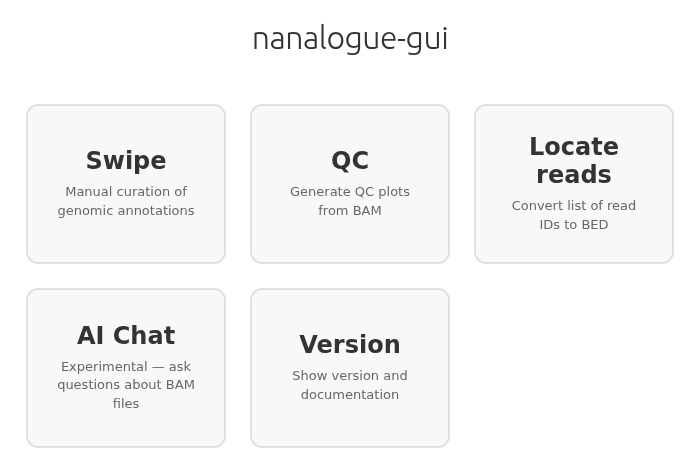
- as a GUI application for those who prefer a graphical interface.
See installation below to learn how to install any of these versions of nanalogue.
Installation
Using Cargo
Run the following command to install or update nanalogue for usage on the command line:
cargo install nanalogue
cargo is the Rust package manager. If you do not have cargo,
follow these instructions
to get it. On Linux and macOS systems, the install command is as simple as
curl https://sh.rustup.rs -sSf | sh
If the cargo install command fails, try using the --locked flag:
cargo install nanalogue --locked
This uses the exact versions of dependencies specified in the package's Cargo.lock file,
and fixes install problems due to newer packages.
Using Docker
You can also use nanalogue via Docker:
docker pull dockerofsat/nanalogue:latest
Pre-built Binaries
The easiest way to install pre-built binaries is using the install script:
curl -fsSL https://raw.githubusercontent.com/DNAReplicationLab/nanalogue/main/install.sh | sh
The script requires curl (or wget), unzip, jq, and sha256sum (or shasum).
Alternatively, pre-built binaries for macOS and Linux are available from:
-
GitHub Releases: Official release binaries can be downloaded from the Releases page. Each release includes binaries for multiple platforms.
-
GitHub Actions Artifacts: Binaries built from the latest code are available as artifacts from the Build Release Binaries workflow. Download the binary artifact for your platform (macOS, musl Linux, manylinux variants for different glibc versions).
Python Library
To install the Python wrapper pynanalogue:
pip install pynanalogue
Node.js Package
Requires Node.js 22 or higher. To install the Node.js bindings:
npm install @nanalogue/node
For more details, see the nanalogue-node repository.
GUI Application
The GUI application provides a desktop interface for working with BAM/CRAM/Mod-BAM files. Pre-built binaries for macOS and Linux are available from the releases page. For Windows, we recommend running the Linux binary using WSL.
To build from source (requires npm and git):
git clone https://github.com/sathish-t/nanalogue-gui.git
cd nanalogue-gui
npm install
Then start the app with npm start.
For more details, see the nanalogue-gui repository.
Command line usage of nanalogue
Tutorials
The following tutorials demonstrate common workflows with nanalogue:
- Quick look at your data — Initial inspection of BAM files to see contigs and modification types
- Quality control of mod data — Assess modification call quality and apply filters
- Extract raw mod calls — Get raw modification data from BAM files
- Extracting sequences — Display read sequences with indel and modification highlighting
- Finding highly modified reads — Filter reads by modification level
- Exploring modification gradients — Detect directional patterns in modification data
- Region-specific analysis — Focus analysis on specific genomic regions
- Recipes — Quick copy-paste snippets for common tasks
For detailed documentation of all CLI commands and options, see the CLI Commands Reference.
The CLI Commands Reference is automatically generated from the latest version of the nanalogue package and provides comprehensive help text for all commands and subcommands.
Common options
Most if not all CLI commands have options to filter by:
- minimum sequence or alignment length
- alignment quality
- alignment type (primary/secondary/supplementary/unmapped)
- read ids
- mod quality
- base quality
You can also perform subsampling, trim by read ends etc. Please see the CLI commands reference shown above.
Quick Look at Your Data
After basecalling with a tool like Dorado, your first question is usually: "What's in my BAM file?" Nanalogue provides two commands for quickly inspecting your data before diving into detailed analysis.
Prerequisites
You will need:
- A BAM file with modification tags (
MMandMLtags), typically produced by a basecaller like Dorado - Nanalogue installed
The peek Command
The peek command gives you a quick overview of your BAM file by examining the header and first 100 records:
nanalogue peek input.bam
Example output:
contigs_and_lengths:
contig_00000	705
contig_00001	827
contig_00002	701

modifications:
C+m
Note: The contig names
contig_00000,contig_00001, etc. are example names used here. In real BAM files aligned to a reference genome, you will see names likechr1,chr2,NC_000001.11, or similar depending on your reference.
This tells you:
- Contigs: The reference sequences in your BAM and their lengths
- Modifications: The modification types detected (e.g.,
C+mmeans 5-methylcytosine on the + strand)
Common Modification Codes
| Code | Modification |
|---|---|
C+m | 5-methylcytosine (5mC) |
C+h | 5-hydroxymethylcytosine (5hmC) |
A+a | N6-methyladenine (6mA) |
T+472552 | BrdU (5-bromodeoxyuridine). Older BAM files may use T+T (generic thymidine modification) or T+B |
The read-stats Command
For a more detailed summary of your reads, use read-stats:
nanalogue read-stats input.bam
Example output:
key	value
n_primary_alignments	10
n_secondary_alignments	7
n_supplementary_alignments	10
n_unmapped_reads	3
n_reversed_reads	7
align_len_mean	394
align_len_max	616
align_len_min	221
align_len_median	383
align_len_n50	422
seq_len_mean	405
seq_len_max	616
seq_len_min	221
seq_len_median	405
seq_len_n50	446
This provides:
- Alignment counts: Primary, secondary, supplementary, and unmapped reads
- Length statistics: Mean, median, min, max, and N50 for both alignment and sequence lengths
Troubleshooting: No Modifications Detected
If peek shows no modifications, check:
-
Basecaller model: Did you use a modification-aware model? For Dorado, models with
5mCor6mAin the name produce modification calls. -
MM/ML tags present: Check if your BAM has the required tags:
samtools view input.bam | head -1 | grep -o "MM:Z:[^ ]*"If this returns nothing, your BAM lacks modification data.
-
Correct reference: For aligned BAMs, ensure reads actually align to the reference. A high unmapped count in
read-statssuggests alignment issues.
Quick Sanity Checks
Before detailed analysis, verify your data looks reasonable:
# Check you have enough reads
nanalogue read-stats input.bam | grep n_primary_alignments

# Verify modification types match your experiment
nanalogue peek input.bam | grep modifications
Next Steps
Once you've confirmed your data looks correct:
- Quality control of mod data — Assess modification call quality
- Find highly modified reads — Filter reads by modification level
- Explore a specific region — Focus on genes or features of interest
See Also
- CLI Reference — Full documentation of all nanalogue commands
- Recipes — Quick copy-paste snippets for common tasks
Quality Control of Mod Data
Before diving into downstream analysis, it's important to assess whether your modification calls are trustworthy. This tutorial covers how to check modification call quality and apply filters to improve data reliability.
Prerequisites
You will need:
- A BAM file with modification tags (
MMandMLtags) - Nanalogue installed
jqfor JSON processing (optional but recommended)
Note: Most filtering options in nanalogue (such as
--mapq-filter,--min-align-len,--mod-prob-filter) are shared across subcommands. The examples below show specific commands, but you can apply these filters to any nanalogue subcommand that accepts them.
Understanding Modification Probabilities
Modification callers like Dorado output a probability for each potential modification site. These probabilities are stored in the ML tag as values from 0-255, which represent 0-100% probability of modification.
A high-quality dataset typically shows a bimodal distribution:
- Many values near 0 (confidently unmodified)
- Many values near 255 (confidently modified)
- Few values in the middle (uncertain calls)
A dataset with many values around 128 (50%) indicates the caller is uncertain, which may signal poor signal quality or an inappropriate basecalling model.
Extracting Raw Modification Probabilities
To check your probability distribution, extract the raw values:
nanalogue read-info --detailed input.bam | jq '.[].mod_table[].data[][2]' | shuf | head -20
222
212
250
228
80
...
These values (0-255) can be plotted as a histogram. In Python:
import subprocess
import matplotlib.pyplot as plt

# Extract probabilities
result = subprocess.run(
    ["bash", "-c", "nanalogue read-info --detailed input.bam | jq '.[].mod_table[].data[][2]'"],
    capture_output=True, text=True
)
probs = [int(x) for x in result.stdout.strip().split('\n') if x]

# Plot histogram
plt.hist(probs, bins=50, edgecolor='black')
plt.xlabel('Modification probability (0-255)')
plt.ylabel('Count')
plt.title('Modification call distribution')
plt.savefig('mod_distribution.png')
Filtering Low-Confidence Calls
If you have many uncertain calls (probabilities near 128), you can filter them out using --mod-prob-filter:
nanalogue window-dens --win 10 --step 5 --mod-prob-filter 0.3,0.7 input.bam
This excludes modification calls where the probability falls between 0.3 and 0.7 (77-179 in 0-255 scale), keeping only confident calls.
When to use this:
- When you see a large peak around 128 in your probability histogram
- When you want to be conservative about modification calls
- For samples with lower signal quality
When NOT to use this:
- When your data already shows a clean bimodal distribution
- When you're studying intermediate modification states
Base Quality Filtering
Poor basecalling quality can affect modification calls. Use --base-qual-filter-mod to exclude positions with low basecall confidence:
nanalogue window-dens --win 10 --step 5 --base-qual-filter-mod 20 input.bam
This excludes modification calls at positions where the basecall quality is below 20 (Phred scale).
Read-Level Quality Filters
Mapping Quality
Poorly mapped reads may have incorrect modification positions. Filter by MAPQ:
nanalogue read-stats --mapq-filter 20 input.bam
Alignment Length
Short alignments may not provide enough context for reliable modification calls:
nanalogue read-stats --min-align-len 500 input.bam
Quick Subsampling
For large files, quickly check a subset using -s:
nanalogue read-stats -s 0.1 input.bam
This analyzes approximately 10% of reads, useful for rapid QC checks.
Expected vs Observed: Sanity Checks
If you have positive or negative controls, verify your data matches expectations.
Check Overall Modification Levels
Use window-dens on a region you expect to be highly modified:
nanalogue window-dens --win 20 --step 10 --region chr1:100-200 input.bam
If your positive control region shows low modification, investigate:
- Was the correct basecaller model used?
- Is the sample truly modified?
- Are there alignment issues in this region?
Compare Modification Counts
Use read-table-show-mods to see per-read modification statistics:
nanalogue read-table-show-mods --tag m input.bam | head -10
# mod-unmod threshold is 0.5
read_id	align_length	sequence_length_template	alignment_type	mod_count
0.3dc17fee-2042-43f9-b9fa-b6c73bd46602	273	273	secondary_forward	m:44
0.ea1a99a8-f696-455c-80dd-fd3ae589411e	383	383	supplementary_reverse	m:55
0.8a959c78-8656-4eac-a810-c2ecb042b7cc	332	332	supplementary_forward	m:55
...
QC Checklist
Before proceeding with analysis, verify:
-
Probability distribution is bimodal — Use
read-info --detailed+ histogram -
Modification types detected — Use
peekto confirm expected mod codes -
Sufficient read depth — Use
read-statsto check alignment counts - Reasonable modification levels — Compare to expected values for your sample
- No systematic issues — Check if problems are genome-wide or region-specific
Next Steps
Once your data passes QC:
- Find highly modified reads — Filter reads by modification level
- Explore modification gradients — Detect directional patterns
- Analyze specific regions — Focus on genes or features
See Also
- Quick look at your data — Initial data inspection
- CLI Reference — Full documentation of all nanalogue commands
- Recipes — Quick copy-paste snippets
Extracting raw mod calls
If you are interested in extracting raw mod calls, please use the following command.
You need to have the jq package installed.
nanalogue read-info --detailed input.bam | jq '.[].mod_table[].data[][2]'
An example output from this command can look like the following. These are mod calls from all positions in all molecules in the BAM resource. The mod calls range from 0-255, which is just a rescaling of 0-100% probability of being modified.
4
7
9
6
221
242
3
47
239
3
3
4
3
182
0
0
0
0
77
0
221
242
0
47
239
This is a variant of the command above that prints read id, contig, position along reference, position along read and modification quality.
nanalogue read-info --detailed input.bam |\
    jq -r '.[] | .read_id as $rid | (.alignment.contig // "N/A") as $contig | .mod_table[].data[] | [$rid, $contig, .[1], .[0], .[2]] | @tsv'
5d10eb9a-aae1-4db8-8ec6-7ebb34d32575    dummyI  9       0       4
5d10eb9a-aae1-4db8-8ec6-7ebb34d32575    dummyI  12      3       7
5d10eb9a-aae1-4db8-8ec6-7ebb34d32575    dummyI  13      4       9
5d10eb9a-aae1-4db8-8ec6-7ebb34d32575    dummyI  16      7       6
a4f36092-b4d5-47a9-813e-c22c3b477a0c    dummyIII        26      3       221
a4f36092-b4d5-47a9-813e-c22c3b477a0c    dummyIII        31      8       242
a4f36092-b4d5-47a9-813e-c22c3b477a0c    dummyIII        50      27      3
a4f36092-b4d5-47a9-813e-c22c3b477a0c    dummyIII        62      39      47
a4f36092-b4d5-47a9-813e-c22c3b477a0c    dummyIII        70      47      239
fffffff1-10d2-49cb-8ca3-e8d48979001b    dummyII 15      12      3
fffffff1-10d2-49cb-8ca3-e8d48979001b    dummyII 16      13      3
fffffff1-10d2-49cb-8ca3-e8d48979001b    dummyII 19      16      4
fffffff1-10d2-49cb-8ca3-e8d48979001b    dummyII 22      19      3
fffffff1-10d2-49cb-8ca3-e8d48979001b    dummyII 23      20      182
b1a36092-b4d5-47a9-813e-c22c3b477a0c    N/A     -1      28      0
b1a36092-b4d5-47a9-813e-c22c3b477a0c    N/A     -1      29      0
b1a36092-b4d5-47a9-813e-c22c3b477a0c    N/A     -1      30      0
b1a36092-b4d5-47a9-813e-c22c3b477a0c    N/A     -1      32      0
b1a36092-b4d5-47a9-813e-c22c3b477a0c    N/A     -1      43      77
b1a36092-b4d5-47a9-813e-c22c3b477a0c    N/A     -1      44      0
b1a36092-b4d5-47a9-813e-c22c3b477a0c    N/A     -1      3       221
b1a36092-b4d5-47a9-813e-c22c3b477a0c    N/A     -1      8       242
b1a36092-b4d5-47a9-813e-c22c3b477a0c    N/A     -1      27      0
b1a36092-b4d5-47a9-813e-c22c3b477a0c    N/A     -1      39      47
b1a36092-b4d5-47a9-813e-c22c3b477a0c    N/A     -1      47      239
Extracting Sequences
Nanalogue can extract and display read sequences from BAM files with highlighting for insertions, deletions, and modifications. This is useful for inspecting alignment quality and understanding modification patterns at the sequence level.
Quick Reference
| Flag | Effect |
|---|---|
--region <REGION> | Only include reads passing through the given region |
--full-region | Only include reads that pass through the given region in full |
--seq-region <REGION> | Display sequences from a specific genomic region |
--seq-full | Display the entire basecalled sequence |
--show-ins-lowercase | Show insertions as lowercase letters |
--show-mod-z | Show modified bases as Z (or z for modified insertions) |
--show-base-qual | Show basecalling quality scores |
Regions are written in the common genomics notation of contig:start-end e.g. chr1:50-100.
We use 0-based coordinates that are half open i.e. in the example above,
we are including all bases from the 51st base of chr1 to the 100th base.
Display conventions:
- Insertions: lowercase letters (with
--show-ins-lowercase) - Deletions: shown as periods (
.) - Modifications: shown as
Zorz(with--show-mod-z) - Quality at deleted positions:
255
Prerequisites
You will need:
- A BAM file with modification tags (
MMandMLtags) - Nanalogue installed
- For indel examples: a BAM file with insertions and/or deletions
Note: The contig names
contig_00001, etc. are example names used throughout this guide. In real BAM files aligned to a reference genome, you will see names likechr1,chr2,NC_000001.11, or similar depending on your reference.
Basic Sequence Extraction
To extract sequences from a specific region, use --seq-region:
nanalogue read-table-show-mods --tag m --region contig_00001:80-120 \
    --seq-region contig_00001:80-120 input.bam
Example output:
# mod-unmod threshold is 0.5
read_id	align_length	sequence_length_template	alignment_type	mod_count	sequence
0.3b25f6e5-da1b-41bd-a1f2-61415d4e88b5	320	320	primary_forward	m:53	AGCGGCTCT
0.9a0352ad-2c37-4078-be82-a2e2a05414cb	283	283	supplementary_reverse	m:43	CTCACGTGGGAGACTGTTATAGTTTACCATTAGCGGCTCT
In the above example, you may see sequences of varying length.
This is because not all the reads will pass through the given region in full.
To only include such reads and thus ensure more uniformity, you can use --full-region as shown below.
nanalogue read-table-show-mods --tag m --region contig_00001:80-120 \
    --seq-region contig_00001:80-120 --full-region input.bam
Example output:
# mod-unmod threshold is 0.5
read_id	align_length	sequence_length_template	alignment_type	mod_count	sequence
0.9a0352ad-2c37-4078-be82-a2e2a05414cb	283	283	supplementary_reverse	m:43	CTCACGTGGGAGACTGTTATAGTTTACCATTAGCGGCTCT
Inspecting Alignment Quality
Viewing Insertions
Insertions relative to the reference can be highlighted as lowercase letters using --show-ins-lowercase.
We demonstrate usage using a file with indels in it.
nanalogue read-table-show-mods --tag m --region contig_00001:80-120 \
    --seq-region contig_00001:80-120 --show-ins-lowercase input_indels.bam
Example output:
# mod-unmod threshold is 0.5
read_id	align_length	sequence_length_template	alignment_type	mod_count	sequence
0.776541e0-2398-446c-a113-bbb1b394a3e5	200	194	supplementary_reverse	m:27	ATTCACACGG..........aaaaCCCGTGCGATGGTTTGTCAG
0.e8556d24-2255-4c0a-a7f8-9a24e58b2079	200	194	supplementary_reverse	m:27	ATTCACACGG..........aaaaCCCGTGCGATGGTTTGTCAG
0.1eeec2a8-fbef-454c-a73f-a56645454a50	200	194	primary_forward	m:25	ATTCACACGG..........aaaaCCCGTGCGATGGTTTGTCAG
...
In the output, lowercase letters indicate bases that are insertions (present in the read but not in the reference).
Viewing Deletions
Deletions are automatically shown as periods (.) when displaying sequences from a region.
We demonstrate usage using a file with indels in it.
nanalogue read-table-show-mods --tag m --region contig_00001:80-120 \
    --seq-region contig_00001:80-120 input_indels.bam
Example output:
# mod-unmod threshold is 0.5
read_id	align_length	sequence_length_template	alignment_type	mod_count	sequence
0.1eeec2a8-fbef-454c-a73f-a56645454a50	200	194	primary_forward	m:25	ATTCACACGG..........AAAACCCGTGCGATGGTTTGTCAG
0.776541e0-2398-446c-a113-bbb1b394a3e5	200	194	supplementary_reverse	m:27	ATTCACACGG..........AAAACCCGTGCGATGGTTTGTCAG
0.cb4ce193-cea4-4ce3-8b68-07081786c8ad	200	194	primary_reverse	m:27	ATTCACACGG..........AAAACCCGTGCGATGGTTTGTCAG
...
Each period represents a position where the reference has a base but the read does not.
Viewing Modification Patterns
To mark modified bases in the sequence, use --show-mod-z:
nanalogue read-table-show-mods --tag m --region contig_00001:80-120 \
    --seq-region contig_00001:80-120 --show-mod-z input.bam
Example output:
# mod-unmod threshold is 0.5
read_id	align_length	sequence_length_template	alignment_type	mod_count	sequence
0.3b25f6e5-da1b-41bd-a1f2-61415d4e88b5	320	320	primary_forward	m:53	AGZGGZTZT
0.9a0352ad-2c37-4078-be82-a2e2a05414cb	283	283	supplementary_reverse	m:43	CTCACZTZZZAZACTGTTATAGTTTACCATTAGCZZCTCT
Modified bases are displayed as:
Zfor modified bases on the referencezfor modified bases within an insertion (when combined with--show-ins-lowercase)
In the above example, you may see sequences of varying length.
This is because not all the reads will pass through the given region in full.
To only include such reads and thus ensure more uniformity, you can use --full-region as shown below.
nanalogue read-table-show-mods --tag m --region contig_00001:80-120 \
    --seq-region contig_00001:80-120 --show-mod-z --full-region input.bam
Example output:
# mod-unmod threshold is 0.5
read_id	align_length	sequence_length_template	alignment_type	mod_count	sequence
0.9a0352ad-2c37-4078-be82-a2e2a05414cb	283	283	supplementary_reverse	m:43	CTCACZTZZZAZACTGTTATAGTTTACCATTAGCZZCTCT
Combining Display Options
You can combine multiple flags to see insertions, deletions, modifications, and quality scores all at once. We demonstrate usage using a file with indels in it.
nanalogue read-table-show-mods --tag m --region contig_00001:80-120 \
    --seq-region contig_00001:80-120 \
    --show-ins-lowercase --show-mod-z --show-base-qual \
    input_indels.bam
Example output:
# mod-unmod threshold is 0.5
read_id	align_length	sequence_length_template	alignment_type	mod_count	sequence	qualities
0.e8556d24-2255-4c0a-a7f8-9a24e58b2079	200	194	supplementary_reverse	m:27	ATTCACACGG..........aaaaCCCGTZCZATZZTTTZTCAG	40.39.24.27.26.32.34.32.37.40.255.255.255.255.255.255.255.255.255.255.36.20.27.22.40.21.22.22.28.37.40.20.20.40.23.24.38.32.38.30.21.22.27.25
0.8b4713fc-36fa-47b6-b3ef-46aa59ae5ce8	200	194	secondary_reverse	m:27	ATTCACACGG..........aaaaCCCGTZCZATZZTTTZTCAG	20.22.33.27.22.37.29.21.28.26.255.255.255.255.255.255.255.255.255.255.30.24.37.30.29.21.30.23.36.21.28.39.27.34.29.32.20.21.40.39.30.24.32.22
0.1eeec2a8-fbef-454c-a73f-a56645454a50	200	194	primary_forward	m:25	ATTCAZAZGG..........aaaaZZZGTGCGATGGTTTGTCAG	39.24.35.29.37.29.39.40.28.39.255.255.255.255.255.255.255.255.255.255.29.28.30.21.29.35.31.32.35.34.35.21.21.27.37.34.35.29.37.27.27.34.31.20
...
This produces output with:
- Lowercase letters for insertions
- Periods for deletions
Z/zfor modifications- Quality scores as period-separated integers (with
255for deleted positions)
When to Use read-table-hide-mods
The read-table-hide-mods command is a simpler alternative when you don't need modification information.
It supports the same sequence display options (--seq-region, --seq-full, --show-ins-lowercase, --show-base-qual)
but does not include --show-mod-z or modification-related filters.
We demonstrate usage using a file with indels in it.
Use read-table-hide-mods when:
- Your BAM file doesn't have modification data
- You only care about alignment quality (insertions/deletions)
- You want slightly faster processing by skipping modification parsing
nanalogue read-table-hide-mods --region contig_00001:80-120 \
    --seq-region contig_00001:80-120 --show-ins-lowercase input_indels.bam
Example output:
read_id	align_length	sequence_length_template	alignment_type	sequence
0.8b4713fc-36fa-47b6-b3ef-46aa59ae5ce8	200	194	secondary_reverse	ATTCACACGG..........aaaaCCCGTGCGATGGTTTGTCAG
0.776541e0-2398-446c-a113-bbb1b394a3e5	200	194	supplementary_reverse	ATTCACACGG..........aaaaCCCGTGCGATGGTTTGTCAG
0.cb4ce193-cea4-4ce3-8b68-07081786c8ad	200	194	primary_reverse	ATTCACACGG..........aaaaCCCGTGCGATGGTTTGTCAG
0.e8556d24-2255-4c0a-a7f8-9a24e58b2079	200	194	supplementary_reverse	ATTCACACGG..........aaaaCCCGTGCGATGGTTTGTCAG
...
Creating Test Data
To create your own BAM files with insertions, deletions, and modifications for testing, see Test data with indels.
Next Steps
- Quality control of mod data — Assess modification call quality
- Extract raw mod calls — Get detailed modification data
- Finding highly modified reads — Filter reads by modification level
See Also
- Quick look at your data — Initial data inspection
- CLI Reference — Full documentation of all nanalogue commands
- Recipes — Quick copy-paste snippets
Spotting Variants in Sequence Data
When inspecting aligned sequences, you may notice positions where some reads differ from others. These could be sequencing errors (random, scattered) or real variants like SNPs (consistent, appearing in a subset of reads). This tutorial shows how to use nanalogue's sequence visualization to spot these patterns visually. We'll first see what random errors look like, then contrast with a cleaner variant pattern where only some reads carry the difference.
Key Concept
When viewing many reads across a short region (10-20bp) with --full-region, all sequences align to the same length.
Random errors scatter across positions.
A real variant appears as a vertical column where a subset of reads consistently shows a different base.
Prerequisites
You will need:
- A BAM file with modification tags (
MMandMLtags) - Nanalogue installed
- For this tutorial: test data with simulated mismatches (configurations provided below)
Please read the Extracting sequences tutorial first, as this tutorial builds on those concepts.
Note: The contig names
contig_00001, etc. are example names used throughout this guide. In real BAM files aligned to a reference genome, you will see names likechr1,chr2,NC_000001.11, or similar depending on your reference.
What Random Errors Look Like
First, let's see what data looks like when all reads have random mismatches scattered throughout. This simulates sequencing errors or very noisy data.
nanalogue read-table-show-mods --tag m --region contig_00001:90-110 \
    --seq-region contig_00001:90-110 --full-region error_data.bam
Example output:
# mod-unmod threshold is 0.5
read_id	align_length	sequence_length_template	alignment_type	mod_count	sequence
0.337a590a-04bb-443e-8ea1-0a3dd9749112	200	200	supplementary_forward	m:31	GGTACAATCCGATGCAACTA
0.930fcb84-5c0a-4f59-86b6-e0069f13ceb7	200	200	primary_forward	m:33	CTATTCTCTCTCTCTTAATT
0.62dcc8b7-d6a1-4853-b40c-2a3c45a6f116	200	200	secondary_forward	m:33	GTTACGACCCGATGGTTGTT
0.f00e2a1e-7cf3-426d-a559-740fd8661daf	200	200	supplementary_reverse	m:37	TTTAGTTTATGAAGGACGTT
0.2ba9f7c3-13e9-4723-9854-0c5a80538a52	200	200	primary_forward	m:29	AGGAGGACGTTAAACTTCTA
0.94f3d1c7-33de-45ca-bb5b-154bd7ddc9d0	200	200	primary_forward	m:30	ATTCGCTTATAAAACACCCG
0.d055550c-6bf2-472d-9e0c-0297df5391f9	200	200	supplementary_forward	m:29	CTTTTCGTATCATGAGACCC
0.9ed07340-11b4-4b0e-9055-66ea0e4da96a	200	200	secondary_forward	m:34	GGTACTAGACCAATCGGCTA
0.12a294b9-222d-47c6-9b68-35e31e60a219	200	200	secondary_reverse	m:33	GAAGGTACCGAAGGAAACAC
Notice how the mismatches are distributed randomly across positions. No single column shows a consistent pattern. If you were looking for a real variant, you wouldn't find a clear signal here - just noise.
Spotting a Consistent Variant
Now let's look at data where only some reads have mismatches - simulating a heterozygous-like variant. This test data has two groups of reads: one clean, one with mismatches.
nanalogue read-table-show-mods --tag m --region contig_00001:90-110 \
    --seq-region contig_00001:90-110 --full-region variant_data.bam
Example output:
# mod-unmod threshold is 0.5
read_id	align_length	sequence_length_template	alignment_type	mod_count	sequence
0.fa2fb3e5-a2bb-44a5-82fc-0bacc07d7c57	200	200	supplementary_reverse	m:35	CTTGTCACTTGGGGGCAAGG
1.70634869-5b0c-4745-b0b7-a877144a186b	200	200	primary_forward	m:30	ACCGTCACGTTATGGCGGCC
0.587ff0f4-46c8-49d5-9b8a-e09ff3aeb943	200	200	supplementary_reverse	m:35	CTTGTCACTTGGGGGCAAGG
0.f4c791d5-f223-4923-abd8-f866dcf76f43	200	200	secondary_forward	m:35	CTTGTCACTTGGGGGCAAGG
0.853b6de5-e4b4-4fc4-a1e2-810492c76fed	200	200	primary_forward	m:35	CTTGTCACTTGGGGGCAAGG
1.67afe3c4-624f-4263-b5d5-f65b71cbba4d	200	200	secondary_reverse	m:40	GTTGTGACCAAGGCGTAAGC
1.bacb8ed5-cdbb-4d61-949a-29772ee8979b	200	200	secondary_reverse	m:34	GTTAGGCTACTGGCGCCGGG
1.aa87f8c2-d4eb-45fe-9aa0-809cb534e181	200	200	secondary_forward	m:30	CTTGTATTGGGGAGCCAGGG
1.4616177c-4ab4-4292-acc7-24c634de27d0	200	200	secondary_reverse	m:35	GTTTACAGGCTGGAGTGAGA
1.c779961e-0d5b-448b-8aa1-692b3486aa78	200	200	secondary_forward	m:36	TAGGTAAATTCCATGCTATG
0.2b5c2290-7587-4492-bd89-9149790ab236	200	200	primary_forward	m:35	CTTGTCACTTGGGGGCAAGG
0.ebe40ffa-d883-4e57-b5b0-fa728d481e8b	200	200	supplementary_reverse	m:35	CTTGTCACTTGGGGGCAAGG
1.2603e53e-4a5d-4237-8beb-cd6b6a99e683	200	200	supplementary_forward	m:35	CGTGTTAAGTAAGGGGACAG
1.5a7d129e-9ecd-4a4b-9024-aadfe45db632	200	200	supplementary_reverse	m:32	ATGGGTATTGACGTGTCAGG
1.0355700d-abe6-446e-a9dc-ebad37f0b0bd	200	200	supplementary_reverse	m:30	CTAGCCCGTTATGATCAGGC
1.aca9bf96-0175-42c3-a4d9-7b07aee69561	200	200	secondary_forward	m:30	CTAATCGTTATAGTGCACGG
0.3b8f2657-64c0-40dc-83d5-0097223f24dd	200	200	primary_reverse	m:35	CTTGTCACTTGGGGGCAAGG
0.fe9b97f8-412b-497f-b24a-478bdeac3fb2	200	200	primary_reverse	m:35	CTTGTCACTTGGGGGCAAGG
0.5b91b2dc-c6ba-439e-862b-f4dc85d29f2b	200	200	supplementary_forward	m:35	CTTGTCACTTGGGGGCAAGG
1.96e2c65c-9b28-4431-861e-270e3f349145	200	200	secondary_forward	m:32	CGGTAGTCTCGGAGTAAGGA
Compare the read IDs to the sequences. The reads with IDs starting with "1." carry mismatches while those starting with "0." are clean.
Important: This ID-based grouping exists only because we created the test data this way. In real datasets, read IDs have no relationship to sequence features. However, the visual pattern remains the same: a subset of reads consistently differing at certain positions. That's the visual signature of a potential variant.
Unlike the random noise in the previous section, here we see structure. This is closer to what a real heterozygous variant looks like - consistent differences in a subset of reads.
Combining Variant and Modification Views
Add --show-mod-z to see modifications marked alongside the base differences:
nanalogue read-table-show-mods --tag m --region contig_00001:90-110 \
    --seq-region contig_00001:90-110 --full-region --show-mod-z variant_data.bam
Example output:
# mod-unmod threshold is 0.5
read_id	align_length	sequence_length_template	alignment_type	mod_count	sequence
1.5a7d129e-9ecd-4a4b-9024-aadfe45db632	200	200	supplementary_reverse	m:32	ATGZZTATTZACZTZTCAGG
0.5b91b2dc-c6ba-439e-862b-f4dc85d29f2b	200	200	supplementary_forward	m:35	ZTTGTCACTTGGGGGCAAGG
1.70634869-5b0c-4745-b0b7-a877144a186b	200	200	primary_forward	m:30	AZZGTCACGTTATGGCGGZZ
0.f4c791d5-f223-4923-abd8-f866dcf76f43	200	200	secondary_forward	m:35	ZTTGTCACTTGGGGGCAAGG
1.aa87f8c2-d4eb-45fe-9aa0-809cb534e181	200	200	secondary_forward	m:30	ZTTGTATTGGGGAGZZAGGG
1.2603e53e-4a5d-4237-8beb-cd6b6a99e683	200	200	supplementary_forward	m:35	ZGTGTTAAGTAAGGGGAZAG
0.fe9b97f8-412b-497f-b24a-478bdeac3fb2	200	200	primary_reverse	m:35	CTTGTCACTTGZZZZCAAZG
1.96e2c65c-9b28-4431-861e-270e3f349145	200	200	secondary_forward	m:32	ZGGTAGTZTZGGAGTAAGGA
1.4616177c-4ab4-4292-acc7-24c634de27d0	200	200	secondary_reverse	m:35	ZTTTACAZGCTGGAZTZAZA
1.bacb8ed5-cdbb-4d61-949a-29772ee8979b	200	200	secondary_reverse	m:34	GTTAZZCTACTZZCZCCGGG
0.587ff0f4-46c8-49d5-9b8a-e09ff3aeb943	200	200	supplementary_reverse	m:35	CTTGTCACTTGZZZZCAAZG
0.3b8f2657-64c0-40dc-83d5-0097223f24dd	200	200	primary_reverse	m:35	CTTGTCACTTGZZZZCAAZG
1.0355700d-abe6-446e-a9dc-ebad37f0b0bd	200	200	supplementary_reverse	m:30	CTAZCCCZTTATZATCAGGC
0.ebe40ffa-d883-4e57-b5b0-fa728d481e8b	200	200	supplementary_reverse	m:35	CTTGTCACTTGZZZZCAAZG
0.853b6de5-e4b4-4fc4-a1e2-810492c76fed	200	200	primary_forward	m:35	ZTTGTCACTTGGGGGCAAGG
0.2b5c2290-7587-4492-bd89-9149790ab236	200	200	primary_forward	m:35	ZTTGTCACTTGGGGGCAAGG
1.c779961e-0d5b-448b-8aa1-692b3486aa78	200	200	secondary_forward	m:36	TAGGTAAATTZZATGCTATG
1.67afe3c4-624f-4263-b5d5-f65b71cbba4d	200	200	secondary_reverse	m:40	GTTGTZACCAAZZCZTAAZC
0.fa2fb3e5-a2bb-44a5-82fc-0bacc07d7c57	200	200	supplementary_reverse	m:35	CTTGTCACTTGZZZZCAAZG
1.aca9bf96-0175-42c3-a4d9-7b07aee69561	200	200	secondary_forward	m:30	ZTAATZGTTATAGTGZAZGG
This combined view lets you inspect whether variants occur near modified bases. In some biological contexts, SNPs can affect modification patterns - or a variant at a modified position might affect how the modification is called. Visual inspection gives you a quick sanity check before deeper analysis.
Note: Modifications at variant positions may be less reliable since the basecaller's modification model may assume the reference base.
Interpreting What You See
Patterns to look for:
- Consistent column differences in a subset of reads → potential variant worth investigating
- Scattered differences across positions → likely sequencing errors or very noisy data
- Single read with many differences → possible alignment issue or sample contamination
Limitations:
- Visual inspection works for quick exploration, not rigorous variant calling
- High coverage helps - with few reads, random errors can look like variants
- Short regions (10-20bp) work best for this approach; longer regions become hard to scan visually
What to do next:
For rigorous SNP detection and genotyping, use specialized variant calling tools. Nanalogue's strength is quick visual inspection - useful for QC, sanity checks, or exploring specific regions of interest.
Creating Test Data
To create your own test BAM files for this tutorial:
- Test data with random errors — All reads have scattered mismatches
- Test data with variants — Two read groups simulating heterozygous-like pattern
Next Steps
- Extracting sequences — More sequence display options
- Quality control of mod data — Assess modification call quality
- Finding highly modified reads — Filter reads by modification level
See Also
- Quick look at your data — Initial data inspection
- CLI Reference — Full documentation of all nanalogue commands
- Recipes — Quick copy-paste snippets
Finding Highly Modified Reads
A common task in single-molecule genomics with DNA/RNA modifications is to identify reads that are "highly modified" — for example, reads where a large fraction of CpG sites are methylated. This can be useful for:
- Identifying molecules from hypermethylated regions (e.g., imprinted loci, repeat elements)
- Quality control: checking if your sample has the expected modification levels
- Filtering reads for downstream analysis based on modification status
- Studying heterogeneity in modification patterns across single molecules
Nanalogue provides the find-modified-reads command for exactly this purpose.
Prerequisites
You will need:
- A BAM file with modification tags (
MMandMLtags), typically produced by a basecaller like Dorado - Nanalogue installed
The find-modified-reads Command
The find-modified-reads command outputs a list of read IDs that satisfy a specified criterion. To see available subcommands and options:
nanalogue find-modified-reads --help
Finding Reads by Modification Density
The most common use case is finding reads where the modification density (the fraction of modified bases) exceeds a threshold. Use the any-dens-above subcommand:
nanalogue find-modified-reads any-dens-above \
    --win 10 \
    --step 5 \
    --tag m \
    --high 0.8 \
    input.bam
This outputs read IDs where at least one window has a modification density at or above 0.8 (80%). The required parameters are:
--win: Window size in number of modified bases (e.g., 10 Cs per window)--step: How many bases to slide the window by--tag: The modification code to look for (e.g.,mfor 5mC)--high: The threshold value
Example output:
a4f36092-b4d5-47a9-813e-c22c3b477a0f
5d10eb9a-aae1-4db8-8ec6-7ebb34d32576
fffffff1-10d2-49cb-8ca3-e8d48979001a
Understanding Windowed Analysis
Nanalogue computes modification density over sliding windows along each read. This windowed approach is important because:
- A read might be partially modified (e.g., one end is methylated, the other is not)
- Modification patterns often have biological meaning at specific scales
- It allows you to detect local hotspots of modification
You can control the window size and step with additional parameters. Run nanalogue find-modified-reads any-dens-above --help for all available options.
Practical Example: Finding Hypermethylated Reads
Suppose you have nanopore sequencing data from a human sample and want to find reads that are highly methylated at CpG sites. A typical workflow might look like:
# Step 1: Find read IDs with >=70% methylation in any window
nanalogue find-modified-reads any-dens-above \
    --win 10 \
    --step 5 \
    --tag m \
    --high 0.7 \
    aligned_reads.bam > hypermethylated_reads.txt

# Step 2: Count how many reads were found
wc -l hypermethylated_reads.txt

# Step 3: Extract these reads using samtools for further analysis
samtools view -h -b -N hypermethylated_reads.txt -o hypermethylated.bam aligned_reads.bam
samtools index hypermethylated.bam
Exploring Modification Patterns with Windowed Densities
If you want to see the actual modification densities (not just filter reads), use the window-dens command:
nanalogue window-dens \
    --win 10 \
    --step 5 \
    input.bam > densities.tsv
Example output:
#contig	ref_win_start	ref_win_end	read_id	win_val	strand	base	mod_strand	mod_type	win_start	win_end	basecall_qual
contig_00000	6	35	0.a9ff3bb7-8611-4b4f-a7cb-8becf44d3183	0.7	+	C	+	m	0	29	27
contig_00000	26	51	0.a9ff3bb7-8611-4b4f-a7cb-8becf44d3183	0.5	+	C	+	m	20	45	27
contig_00000	38	66	0.a9ff3bb7-8611-4b4f-a7cb-8becf44d3183	0.7	+	C	+	m	32	60	30
contig_00000	55	98	0.a9ff3bb7-8611-4b4f-a7cb-8becf44d3183	0.6	+	C	+	m	49	92	26
...
This output can be loaded into Python/R for custom analysis and visualization.
Tips
-
Choosing a threshold: The appropriate threshold depends on your biological question. For CpG methylation in mammals, "highly methylated" often means >80% methylation. For other modifications or organisms, you may need to adjust.
-
Window size matters: Smaller windows capture local patterns but are noisier. Larger windows give more stable estimates but may miss focal modifications.
-
Combine with region filtering: Use the
--regionparameter to filter reads to a genomic region:nanalogue find-modified-reads any-dens-above \ --win 10 --step 5 --tag m --high 0.8 \ --region chr1:100-200 \ input.bam -
Performance: Nanalogue is written in Rust and designed to handle large BAM files efficiently. For very large files, you can process in parallel by splitting by chromosome.
Next Steps
- Explore modification gradients with
window-grad - Create synthetic test data with
pynanalogue.simulate_mod_bam()for benchmarking - Visualize your results with tools like IGV or custom matplotlib plots
See Also
- CLI Reference — Full documentation of all nanalogue commands
- Python Library — Using pynanalogue for scripting
- modkit — Complementary tool for aggregated modification statistics
Exploring Modification Gradients
While modification density tells you how much of a region is modified, modification gradients tell you where modifications change and in what direction. Gradients are particularly powerful for detecting transitions, boundaries, and directional patterns in single-molecule data.
Prerequisites
You will need:
- A BAM file with modification tags (
MMandMLtags) - Nanalogue installed
What Are Modification Gradients?
A gradient measures the rate of change in modification level along a read. Consider a read where:
- The first half has 80% modification
- The second half has 20% modification
The density would average these together (~50%), obscuring the pattern. The gradient would show a strong negative value at the transition point, revealing that modification decreases as you move along the read.
Key insight
Gradients reveal directionality:
- Positive gradient: Modification increasing along the read
- Negative gradient: Modification decreasing along the read
- Near-zero gradient: Stable modification level (no change)
The window-grad Command
The window-grad command computes modification gradients over sliding windows:
nanalogue window-grad --win 10 --step 5 input.bam
#contig ref_win_start ref_win_end read_id win_val strand base mod_strand mod_type win_start win_end basecall_qual
contig_00000 6 35 0.a9ff3bb7-8611-4b4f-a7cb-8becf44d3183 -0.054545455 + C + m 0 29 27
contig_00000 26 51 0.a9ff3bb7-8611-4b4f-a7cb-8becf44d3183 0.030303031 + C + m 20 45 27
contig_00000 38 66 0.a9ff3bb7-8611-4b4f-a7cb-8becf44d3183 0.018181818 + C + m 32 60 30
contig_00000 55 98 0.a9ff3bb7-8611-4b4f-a7cb-8becf44d3183 -0.036363635 + C + m 49 92 26
...
Understanding the Output
| Column | Description |
|---|---|
contig | Reference contig name |
ref_win_start, ref_win_end | Window coordinates on the reference |
read_id | Unique read identifier |
win_val | The gradient value (key column) |
strand | Alignment strand (+/-) |
base, mod_strand, mod_type | Modification details |
win_start, win_end | Window coordinates on the read |
basecall_qual | Average basecall quality in the window |
Required Parameters
--win: Window size in number of modified bases (e.g., 10 cytosines per window)--step: How many bases to slide the window by
Interpreting Gradient Values
The gradient value (win_val) indicates the direction and magnitude of modification change.
The representative values shown below are for illustrative purposes only --
the gradient value may depend on the size of the window and step chosen.
| Gradient | Meaning | Example |
|---|---|---|
+0.05 to +0.2 | Modification increasing | Entering a modified region |
-0.05 to -0.2 | Modification decreasing | Leaving a modified region |
-0.02 to +0.02 | Stable | Within a uniformly modified/unmodified region |
> +0.2 or < -0.2 | Sharp transition | Boundary between distinct modification states |
Practical Example: DNA Replication Fork Direction from BrdU
One powerful application of gradient analysis is determining DNA replication fork direction from BrdU (5-bromodeoxyuridine) incorporation data.
Background
During DNA replication under appropriate experimental conditions:
- BrdU is incorporated into newly synthesized DNA
- Nanopore sequencing detects BrdU as a thymidine modification
- The direction of BrdU signal change along a molecule reveals which way the replication fork was traveling
How Gradients Reveal Fork Direction
Let's say you have set up an experiment so that BrdU levels are high at the start of the experiment and the level decrease over time. Consider a single DNA molecule that was replicated by a fork moving left-to-right:
- The left end was replicated first → more BrdU
- The right end was replicated later → less BrdU
- This creates a negative gradient (BrdU decreasing left-to-right)
Conversely, a fork moving right-to-left would show a positive gradient.
If you have set up an experiment where BrdU levels are increasing over time, then you will have the opposite sign of gradients to the scenario described above.
Finding Replication Pause Sites
When a replication fork pauses, the gradient pattern changes:
- Before the pause: consistent gradient direction
- At the pause site: gradient is much steeper as BrdU levels change over the duration of the pause
- After resumption: gradient direction may be consistent or change depending on how the pause was rescued
Use window-grad to identify reads with gradient transitions:
nanalogue window-grad --win 20 --step 10 input.bam > gradients.tsv
Then analyze in Python/R to find reads where the gradient sign changes, indicating potential pause or termination sites.
Further Reading
For a comprehensive study of DNA replication pausing using this approach, see:
When to Use Gradients vs Densities
| Use Case | Tool | Why |
|---|---|---|
| "How modified is this region?" | window-dens | Density gives the average level |
| "Where do modification patterns change?" | window-grad | Gradient detects transitions |
| "What direction was this process moving?" | window-grad | Sign reveals directionality |
| "Find highly modified reads" | find-modified-reads | Filters by density threshold |
| "Find reads with modification boundaries" | window-grad + custom analysis | Gradient changes indicate boundaries |
Combining Gradients with Other Filters
Apply the same quality filters as other nanalogue commands:
# Filter by mapping quality and base quality
nanalogue window-grad --win 10 --step 5 \
--mapq-filter 20 \
--base-qual-filter-mod 20 \
input.bam
# Focus on a specific region
nanalogue window-grad --win 10 --step 5 \
--region chr1:100-200 \
input.bam
Next Steps
- Region-specific analysis — Focus gradient analysis on specific genes
- Finding highly modified reads — Combine with density-based filtering
- Recipes — Quick copy-paste snippets
See Also
- Quality control of mod data — Ensure data quality before gradient analysis
- CLI Reference — Full documentation of all nanalogue commands
Region-Specific Analysis
Rather than analyzing an entire BAM file, you often want to focus on specific genomic regions — a gene, promoter, or feature of interest. Nanalogue provides several region filtering options that work with both local and remote BAM files.
Prerequisites
You will need:
- A BAM file with modification tags (
MMandMLtags) - Nanalogue installed
- For indexed remote BAMs: the
.baiindex file must be accessible
Why Focus on Regions?
Region-specific analysis is useful for:
- Targeted analysis: Focus on genes or features of biological interest
- Performance: Avoid processing multi-gigabyte files when you only need a small region
- Comparison: Compare modification patterns between different loci
- Validation: Check expected modification levels at control regions
Region Filtering Options
Nanalogue provides three region-related parameters:
| Parameter | Effect |
|---|---|
--region | Keep reads that overlap the specified region |
--mod-region | Only count modifications within the specified region |
--full-region | Only keep reads that span the entire region |
--region: Read Selection
The --region parameter selects reads that overlap a genomic region:
nanalogue window-dens --win 10 --step 5 \
--region chr1:100-200 \
input.bam
This keeps any read that overlaps the specified region. Reads may extend beyond the region boundaries.
--mod-region: Modification Selection
The --mod-region parameter filters which modifications are counted:
nanalogue window-dens --win 10 --step 5 \
--mod-region chr1:100-200 \
input.bam
This processes all reads but only counts modifications that fall within the specified region.
Combining --region and --mod-region
For the most focused analysis, use both:
nanalogue window-dens --win 10 --step 5 \
--region chr1:100-200 \
--mod-region chr1:100-200 \
input.bam
This selects only reads overlapping the region AND only counts modifications within it.
--full-region: Complete Coverage
Use --full-region when you need reads that span an entire feature:
nanalogue window-dens --win 10 --step 5 \
--region chr1:100-200 \
--full-region \
input.bam
This is useful when you want to ensure complete coverage of a promoter or exon.
Practical Example: BRCA1 Methylation from Public Data
Let's analyze CpG methylation at the BRCA1 gene using publicly available PacBio HiFi data.
The Dataset
We'll use the HG002 (Genome in a Bottle) dataset with CpG methylation calls:
https://downloads.pacbcloud.com/public/dataset/HG002-CpG-methylation-202202/HG002.GRCh38.haplotagged.bam
BRCA1 Coordinates
BRCA1 is located on chromosome 17:
- Gene body: chr17:43,044,295-43,170,245 (GRCh38)
- Promoter region: For the purposes of this tutorial, let's consider chr17:43,170,000-43,172,000 as the promoter region (the actual promoter boundaries may differ)
Analyzing the BRCA1 Promoter
Check modification densities in the BRCA1 promoter region:
nanalogue window-dens --win 10 --step 5 \
--region chr17:43170000-43172000 \
https://downloads.pacbcloud.com/public/dataset/HG002-CpG-methylation-202202/HG002.GRCh38.haplotagged.bam
Note: This streams data directly from the remote URL. Only the region of interest is downloaded, making this efficient even for large BAM files.
Comparing Two Regions
You can compare modification patterns between regions by running separate queries:
# BRCA1 promoter
nanalogue window-dens --win 10 --step 5 \
--region chr17:43170000-43172000 \
https://downloads.pacbcloud.com/public/dataset/HG002-CpG-methylation-202202/HG002.GRCh38.haplotagged.bam \
> brca1_promoter.tsv
# BRCA2 promoter (for tutorial, assume chr13:32,315,000-32,317,000)
nanalogue window-dens --win 10 --step 5 \
--region chr13:32315000-32317000 \
https://downloads.pacbcloud.com/public/dataset/HG002-CpG-methylation-202202/HG002.GRCh38.haplotagged.bam \
> brca2_promoter.tsv
Two-Pass Analysis with Read ID Lists
For complex analyses, use a two-pass approach:
Pass 1: Find Interesting Reads
First, identify reads meeting your criteria:
nanalogue find-modified-reads any-dens-above \
    --win 10 --step 5 --tag m --high 0.8 \
    --region chr1:100-200 \
input.bam > high_meth_brca1_reads.txt
Pass 2: Detailed Analysis
Then analyze those specific reads in detail:
nanalogue window-dens --win 5 --step 2 \
--read-id-list high_meth_brca1_reads.txt \
input.bam > detailed_densities.tsv
This workflow lets you first filter for reads of interest, then perform fine-grained analysis on just those reads.
Performance Tips
Remote BAM Files
When working with remote URLs:
- Always use
--regionto avoid downloading the entire file - Ensure the BAM is indexed (
.baifile at the same URL location) - Nanalogue streams only the required data
Local BAM Files
For local files:
- Index your BAM with
samtools indexfor faster region queries - Without an index, nanalogue must scan the entire file
Subsampling for Exploration
When exploring a new dataset, subsample first:
nanalogue window-dens --win 10 --step 5 \
--region chr1:100-200 \
-s 0.1 \
input.bam
Next Steps
- Finding highly modified reads — Filter reads by modification level
- Exploring modification gradients — Detect directional patterns
- Recipes — Quick copy-paste snippets
See Also
- Quick look at your data — Initial data inspection
- Quality control of mod data — Ensure data quality
- CLI Reference — Full documentation of all nanalogue commands
Recipes
Quick, copy-paste snippets for common nanalogue tasks. For detailed explanations, see the linked tutorials.
Tip: Most filtering options (such as
--mapq-filter,--min-align-len,--mod-prob-filter) are shared across subcommands. You can combine the filters shown below with almost any nanalogue command.
Quick Inspection
Peek at BAM contents
nanalogue peek input.bam
Shows contigs, lengths, and modification types. More info
Get read statistics
nanalogue read-stats input.bam
Count reads with a specific modification
nanalogue read-table-show-mods --tag m input.bam | wc -l
Filtering Reads
Get read IDs above a methylation threshold
nanalogue find-modified-reads any-dens-above \
--win 10 --step 5 --tag m --high 0.8 \
input.bam
Filter by mapping quality
nanalogue read-stats --mapq-filter 20 input.bam
Filter by alignment length
nanalogue read-stats --min-align-len 1000 input.bam
Subsample for quick exploration
nanalogue read-stats -s 0.1 input.bam
Analyzes ~10% of reads.
Keep only primary alignments
nanalogue read-stats --read-filter primary_forward,primary_reverse input.bam
Extracting Data
Export windowed densities to TSV
nanalogue window-dens --win 10 --step 5 input.bam > densities.tsv
Export windowed gradients to TSV
nanalogue window-grad --win 10 --step 5 input.bam > gradients.tsv
Export raw modification probabilities
nanalogue read-info --detailed input.bam | jq '.[].mod_table[].data[][2]'
Values are 0-255 (rescaled from 0-100% probability). More info
Get per-read modification counts
nanalogue read-table-show-mods --tag m input.bam
Export detailed read info as JSON
nanalogue read-info --detailed-pretty input.bam > reads.json
Region Queries
Analyze a specific gene
nanalogue window-dens --win 10 --step 5 \
    --region chr1:100-200 \
    input.bam
Analyze from a remote URL
nanalogue window-dens --win 10 --step 5 \
--region chr17:43044295-43170245 \
https://example.com/sample.bam
Always use --region with remote files to avoid downloading the entire BAM.
Only count modifications within a region
nanalogue window-dens --win 10 --step 5 \
    --mod-region chr1:100-200 \
    input.bam
Require reads to span the full region
nanalogue window-dens --win 10 --step 5 \
    --region chr1:100-200 \
    --full-region \
    input.bam
Quality Filtering
Remove low-confidence modification calls
nanalogue window-dens --win 10 --step 5 \
--mod-prob-filter 0.3,0.7 \
input.bam
Excludes calls with probability between 0.3 and 0.7. More info
Filter by base quality
nanalogue window-dens --win 10 --step 5 \
--base-qual-filter-mod 20 \
input.bam
Trim read ends before analysis
nanalogue window-dens --win 10 --step 5 \
--trim-read-ends-mod 50 \
input.bam
Ignores the first and last 50 bp of each read.
Exclude poorly mapped reads
nanalogue window-dens --win 10 --step 5 \
--mapq-filter 20 \
input.bam
Piping with Other Tools
Extract highly modified reads to a new BAM
nanalogue find-modified-reads any-dens-above \
    --win 10 --step 5 --tag m --high 0.8 \
input.bam > high_meth_reads.txt
samtools view -h -b -N high_meth_reads.txt -o high_meth.bam input.bam
samtools index high_meth.bam
Pipe from samtools view
samtools view -h input.bam chr17 | nanalogue read-stats -
Always include -h to pass the header.
Analyze specific reads by ID
# Using high_meth_reads.txt created in the previous section
nanalogue window-dens --win 10 --step 5 \
    --read-id-list high_meth_reads.txt \
    input.bam
Count modifications per chromosome
for chr in chr1 chr2 chr3; do
    echo -n "$chr: "
    nanalogue read-table-show-mods --tag m --region $chr input.bam | wc -l
done
Modification-Specific Queries
Filter by modification strand
nanalogue window-dens --win 10 --step 5 \
    --mod-strand bc \
    input.bam
Use bc for basecalled strand, bc_comp for complement.
Analyze specific modification type
nanalogue window-dens --win 10 --step 5 \
    --tag m \
    input.bam
Common tags: m (5mC), h (5hmC), a (6mA).
See Also
- Quick look at your data
- Quality control of mod data
- Finding highly modified reads
- Exploring modification gradients
- Region-specific analysis
- CLI Reference
nanalogue CLI Commands Reference
Note: This file is auto-generated.
Main Command
BAM/Mod BAM parsing and analysis tool with a single-molecule focus

Usage: nanalogue <COMMAND>

Commands:
  read-table-show-mods  Prints basecalled len, align len, mod count per molecule
  read-table-hide-mods  Prints basecalled len, align len per molecule
  read-stats            Calculates various summary statistics on all reads
  read-info             Prints information about reads
  find-modified-reads   Find names of modified reads through criteria specified by sub commands
  window-dens           Output windowed densities of all reads
  window-grad           Output windowed gradients of all reads
  peek                  Display BAM file contigs, contig lengths, and mod types from a "peek" at the
                        header and first 100 records
  help                  Print this message or the help of the given subcommand(s)

Options:
  -h, --help     Print help
  -V, --version  Print version
Subcommands
read-table-show-mods
Prints basecalled len, align len, mod count per molecule

Usage: nanalogue read-table-show-mods [OPTIONS] <BAM_PATH> [SEQ_SUMM_FILE]

Arguments:
  <BAM_PATH>       Input BAM file. Set to a local file path, or set to - to read from stdin, or set
                   to a URL to read from a remote file. If using stdin and piping in from `samtools
                   view`, always include the header with the `-h` option
  [SEQ_SUMM_FILE]  Input sequence summary file from Guppy/Dorado (optional) [default: ""]

Options:
      --min-seq-len <MIN_SEQ_LEN>
          Exclude reads whose sequence length in the BAM file is below this value. Defaults to 0
          [default: 0]
      --min-align-len <MIN_ALIGN_LEN>
          Exclude reads whose alignment length in the BAM file is below this value. Defaults to
          unused
      --read-id <READ_ID>
          Only include this read id, defaults to unused i.e. all reads are used. NOTE: if there are
          multiple alignments corresponding to this read id, all of them are used
      --read-id-list <READ_ID_LIST>
          Path to file containing list of read IDs (one per line). Lines starting with '#' are
          treated as comments and ignored. Cannot be used together with --read-id
      --threads <THREADS>
          Number of threads used during some aspects of program execution [default: 2]
      --include-zero-len
          Include "zero-length" sequences e.g. sequences with "*" in the sequence field. By default,
          these sequences are excluded to avoid processing errors. If this flag is set, these reads
          are included irrespective of any minimum sequence or align length criteria the user may
          have set. WARNINGS: (1) Some functions of the codebase may break or produce incorrect
          results if you use this flag. (2) due to a technical reason, we need a DNA sequence in the
          sequence field and cannot infer sequence length from other sources e.g. CIGAR strings
      --read-filter <READ_FILTER>
          Only retain reads of this type. Allowed types are `primary_forward`, `primary_reverse`,
          `secondary_forward`, `secondary_reverse`, `supplementary_forward`, `supplementary_reverse`
          and unmapped. Specify more than one type if needed separated by commas, in which case
          reads of any type in list are retained. Defaults to retain reads of all types
  -s, --sample-fraction <SAMPLE_FRACTION>
          Subsample BAM to retain only this fraction of total number of reads, defaults to 1.0. The
          sampling algorithm considers every read according to the specified probability, so due to
          this, you may not always get the same number of reads e.g. if you set `-s 0.05` in a file
          with 1000 reads, you will get 50 +- sqrt(50) reads. By default, a new subsample is drawn
          every time as the seed is not fixed. Set `--sample-seed` to get reproducible subsampling
          [default: 1]
      --sample-seed <SAMPLE_SEED>
          Seed for reproducible subsampling. When set, the subsampling decision for each read is
          deterministic based on the read name and the seed. Different seeds produce different
          subsets. If not set, subsampling is random and non-reproducible (the default behavior)
      --mapq-filter <MAPQ_FILTER>
          Exclude reads whose MAPQ (Mapping quality of position) is below this value. Defaults to
          zero i.e. do not exclude any read [default: 0]
      --exclude-mapq-unavail
          Exclude sequences with MAPQ unavailable. In the BAM format, a value of 255 in this column
          means MAPQ is unavailable. These reads are allowed by default, set this flag to exclude
      --region <REGION>
          Only keep reads passing through this region. If a BAM index is available with a name same
          as the BAM file but with the .bai suffix, the operation of selecting such reads will be
          faster. If you are using standard input as your input e.g. you are piping in the output
          from samtools, then you cannot use an index as a BAM filename is not available
      --full-region
          Only keep reads if they pass through the specified region in full. Related to the input
          `--region`; has no effect if that is not set
      --tag <TAG>
          modified tag
      --mod-strand <MOD_STRAND>
          modified strand, set this to `bc` or `bc_comp`, meaning on basecalled strand or its
          complement. Some technologies like `PacBio` or `ONT` duplex can call mod data on both a
          strand and its complementary DNA and store it in the record corresponding to the strand,
          so you can use this filter to select only for mod data on a strand or its complement.
          Please note that this filter is different from selecting for forward or reverse aligned
          reads using the BAM flags
      --mod-prob-filter <MOD_PROB_FILTER>
          Filter to reject mods before analysis. Specify as low,high where both are fractions to
          reject modifications where the probabilities (p) are in this range e.g. "0.4,0.6" rejects
          0.4 <= p <= 0.6. You can use this to reject 'weak' modification calls before analysis i.e.
          those with probabilities close to 0.5. NOTE: (1) Whether this filtration is applied or
          not, mods < 0.5 are considered unmodified and >= 0.5 are considered modified by our
          program. (2) mod probabilities are stored as a number from 0-255 in the modBAM format, so
          we internally convert 0.0-1.0 to 0-255. Default: reject nothing [default: ""]
      --trim-read-ends-mod <TRIM_READ_ENDS_MOD>
          Filter this many bp at the start and end of a read before any mod operations. Please note
          that the units here are bp and not units of base being queried [default: 0]
      --base-qual-filter-mod <BASE_QUAL_FILTER_MOD>
          Exclude bases whose base quality is below this threshold before any mod operation,
          defaults to 0 i.e. unused. NOTE: (1) This step is only applied before modification
          operations, and not before any other operations. (2) No offsets such as +33 are needed
          here. (3) Modifications on reads where base quality information is not available are all
          rejected if this is non-zero [default: 0]
      --mod-region <MOD_REGION>
          Only keep modification data from this region
      --seq-region <SEQ_REGION>
          Genomic region from which basecalled sequences are displayed (optional)
      --seq-full
          Displays entire basecalled sequence (optional)
      --show-base-qual
          Displays basecalling qualities (optional)
      --show-ins-lowercase
          Show insertions in lower case
      --show-mod-z
          Shows modified bases as Z (or z depending on other options)
  -h, --help
          Print help
read-table-hide-mods
Prints basecalled len, align len per molecule

Usage: nanalogue read-table-hide-mods [OPTIONS] <BAM_PATH> [SEQ_SUMM_FILE]

Arguments:
  <BAM_PATH>       Input BAM file. Set to a local file path, or set to - to read from stdin, or set
                   to a URL to read from a remote file. If using stdin and piping in from `samtools
                   view`, always include the header with the `-h` option
  [SEQ_SUMM_FILE]  Input sequence summary file from Guppy/Dorado (optional) [default: ""]

Options:
      --min-seq-len <MIN_SEQ_LEN>
          Exclude reads whose sequence length in the BAM file is below this value. Defaults to 0
          [default: 0]
      --min-align-len <MIN_ALIGN_LEN>
          Exclude reads whose alignment length in the BAM file is below this value. Defaults to
          unused
      --read-id <READ_ID>
          Only include this read id, defaults to unused i.e. all reads are used. NOTE: if there are
          multiple alignments corresponding to this read id, all of them are used
      --read-id-list <READ_ID_LIST>
          Path to file containing list of read IDs (one per line). Lines starting with '#' are
          treated as comments and ignored. Cannot be used together with --read-id
      --threads <THREADS>
          Number of threads used during some aspects of program execution [default: 2]
      --include-zero-len
          Include "zero-length" sequences e.g. sequences with "*" in the sequence field. By default,
          these sequences are excluded to avoid processing errors. If this flag is set, these reads
          are included irrespective of any minimum sequence or align length criteria the user may
          have set. WARNINGS: (1) Some functions of the codebase may break or produce incorrect
          results if you use this flag. (2) due to a technical reason, we need a DNA sequence in the
          sequence field and cannot infer sequence length from other sources e.g. CIGAR strings
      --read-filter <READ_FILTER>
          Only retain reads of this type. Allowed types are `primary_forward`, `primary_reverse`,
          `secondary_forward`, `secondary_reverse`, `supplementary_forward`, `supplementary_reverse`
          and unmapped. Specify more than one type if needed separated by commas, in which case
          reads of any type in list are retained. Defaults to retain reads of all types
  -s, --sample-fraction <SAMPLE_FRACTION>
          Subsample BAM to retain only this fraction of total number of reads, defaults to 1.0. The
          sampling algorithm considers every read according to the specified probability, so due to
          this, you may not always get the same number of reads e.g. if you set `-s 0.05` in a file
          with 1000 reads, you will get 50 +- sqrt(50) reads. By default, a new subsample is drawn
          every time as the seed is not fixed. Set `--sample-seed` to get reproducible subsampling
          [default: 1]
      --sample-seed <SAMPLE_SEED>
          Seed for reproducible subsampling. When set, the subsampling decision for each read is
          deterministic based on the read name and the seed. Different seeds produce different
          subsets. If not set, subsampling is random and non-reproducible (the default behavior)
      --mapq-filter <MAPQ_FILTER>
          Exclude reads whose MAPQ (Mapping quality of position) is below this value. Defaults to
          zero i.e. do not exclude any read [default: 0]
      --exclude-mapq-unavail
          Exclude sequences with MAPQ unavailable. In the BAM format, a value of 255 in this column
          means MAPQ is unavailable. These reads are allowed by default, set this flag to exclude
      --region <REGION>
          Only keep reads passing through this region. If a BAM index is available with a name same
          as the BAM file but with the .bai suffix, the operation of selecting such reads will be
          faster. If you are using standard input as your input e.g. you are piping in the output
          from samtools, then you cannot use an index as a BAM filename is not available
      --full-region
          Only keep reads if they pass through the specified region in full. Related to the input
          `--region`; has no effect if that is not set
      --seq-region <SEQ_REGION>
          Genomic region from which basecalled sequences are displayed (optional)
      --seq-full
          Displays entire basecalled sequence (optional)
      --show-base-qual
          Displays basecalling qualities (optional)
      --show-ins-lowercase
          Show insertions in lower case
  -h, --help
          Print help
read-stats
Calculates various summary statistics on all reads

Usage: nanalogue read-stats [OPTIONS] <BAM_PATH>

Arguments:
  <BAM_PATH>  Input BAM file. Set to a local file path, or set to - to read from stdin, or set to a
              URL to read from a remote file. If using stdin and piping in from `samtools view`,
              always include the header with the `-h` option

Options:
      --min-seq-len <MIN_SEQ_LEN>
          Exclude reads whose sequence length in the BAM file is below this value. Defaults to 0
          [default: 0]
      --min-align-len <MIN_ALIGN_LEN>
          Exclude reads whose alignment length in the BAM file is below this value. Defaults to
          unused
      --read-id <READ_ID>
          Only include this read id, defaults to unused i.e. all reads are used. NOTE: if there are
          multiple alignments corresponding to this read id, all of them are used
      --read-id-list <READ_ID_LIST>
          Path to file containing list of read IDs (one per line). Lines starting with '#' are
          treated as comments and ignored. Cannot be used together with --read-id
      --threads <THREADS>
          Number of threads used during some aspects of program execution [default: 2]
      --include-zero-len
          Include "zero-length" sequences e.g. sequences with "*" in the sequence field. By default,
          these sequences are excluded to avoid processing errors. If this flag is set, these reads
          are included irrespective of any minimum sequence or align length criteria the user may
          have set. WARNINGS: (1) Some functions of the codebase may break or produce incorrect
          results if you use this flag. (2) due to a technical reason, we need a DNA sequence in the
          sequence field and cannot infer sequence length from other sources e.g. CIGAR strings
      --read-filter <READ_FILTER>
          Only retain reads of this type. Allowed types are `primary_forward`, `primary_reverse`,
          `secondary_forward`, `secondary_reverse`, `supplementary_forward`, `supplementary_reverse`
          and unmapped. Specify more than one type if needed separated by commas, in which case
          reads of any type in list are retained. Defaults to retain reads of all types
  -s, --sample-fraction <SAMPLE_FRACTION>
          Subsample BAM to retain only this fraction of total number of reads, defaults to 1.0. The
          sampling algorithm considers every read according to the specified probability, so due to
          this, you may not always get the same number of reads e.g. if you set `-s 0.05` in a file
          with 1000 reads, you will get 50 +- sqrt(50) reads. By default, a new subsample is drawn
          every time as the seed is not fixed. Set `--sample-seed` to get reproducible subsampling
          [default: 1]
      --sample-seed <SAMPLE_SEED>
          Seed for reproducible subsampling. When set, the subsampling decision for each read is
          deterministic based on the read name and the seed. Different seeds produce different
          subsets. If not set, subsampling is random and non-reproducible (the default behavior)
      --mapq-filter <MAPQ_FILTER>
          Exclude reads whose MAPQ (Mapping quality of position) is below this value. Defaults to
          zero i.e. do not exclude any read [default: 0]
      --exclude-mapq-unavail
          Exclude sequences with MAPQ unavailable. In the BAM format, a value of 255 in this column
          means MAPQ is unavailable. These reads are allowed by default, set this flag to exclude
      --region <REGION>
          Only keep reads passing through this region. If a BAM index is available with a name same
          as the BAM file but with the .bai suffix, the operation of selecting such reads will be
          faster. If you are using standard input as your input e.g. you are piping in the output
          from samtools, then you cannot use an index as a BAM filename is not available
      --full-region
          Only keep reads if they pass through the specified region in full. Related to the input
          `--region`; has no effect if that is not set
  -h, --help
          Print help
read-info
Prints information about reads

Usage: nanalogue read-info [OPTIONS] <BAM_PATH>

Arguments:
  <BAM_PATH>  Input BAM file. Set to a local file path, or set to - to read from stdin, or set to a
              URL to read from a remote file. If using stdin and piping in from `samtools view`,
              always include the header with the `-h` option

Options:
      --min-seq-len <MIN_SEQ_LEN>
          Exclude reads whose sequence length in the BAM file is below this value. Defaults to 0
          [default: 0]
      --min-align-len <MIN_ALIGN_LEN>
          Exclude reads whose alignment length in the BAM file is below this value. Defaults to
          unused
      --read-id <READ_ID>
          Only include this read id, defaults to unused i.e. all reads are used. NOTE: if there are
          multiple alignments corresponding to this read id, all of them are used
      --read-id-list <READ_ID_LIST>
          Path to file containing list of read IDs (one per line). Lines starting with '#' are
          treated as comments and ignored. Cannot be used together with --read-id
      --threads <THREADS>
          Number of threads used during some aspects of program execution [default: 2]
      --include-zero-len
          Include "zero-length" sequences e.g. sequences with "*" in the sequence field. By default,
          these sequences are excluded to avoid processing errors. If this flag is set, these reads
          are included irrespective of any minimum sequence or align length criteria the user may
          have set. WARNINGS: (1) Some functions of the codebase may break or produce incorrect
          results if you use this flag. (2) due to a technical reason, we need a DNA sequence in the
          sequence field and cannot infer sequence length from other sources e.g. CIGAR strings
      --read-filter <READ_FILTER>
          Only retain reads of this type. Allowed types are `primary_forward`, `primary_reverse`,
          `secondary_forward`, `secondary_reverse`, `supplementary_forward`, `supplementary_reverse`
          and unmapped. Specify more than one type if needed separated by commas, in which case
          reads of any type in list are retained. Defaults to retain reads of all types
  -s, --sample-fraction <SAMPLE_FRACTION>
          Subsample BAM to retain only this fraction of total number of reads, defaults to 1.0. The
          sampling algorithm considers every read according to the specified probability, so due to
          this, you may not always get the same number of reads e.g. if you set `-s 0.05` in a file
          with 1000 reads, you will get 50 +- sqrt(50) reads. By default, a new subsample is drawn
          every time as the seed is not fixed. Set `--sample-seed` to get reproducible subsampling
          [default: 1]
      --sample-seed <SAMPLE_SEED>
          Seed for reproducible subsampling. When set, the subsampling decision for each read is
          deterministic based on the read name and the seed. Different seeds produce different
          subsets. If not set, subsampling is random and non-reproducible (the default behavior)
      --mapq-filter <MAPQ_FILTER>
          Exclude reads whose MAPQ (Mapping quality of position) is below this value. Defaults to
          zero i.e. do not exclude any read [default: 0]
      --exclude-mapq-unavail
          Exclude sequences with MAPQ unavailable. In the BAM format, a value of 255 in this column
          means MAPQ is unavailable. These reads are allowed by default, set this flag to exclude
      --region <REGION>
          Only keep reads passing through this region. If a BAM index is available with a name same
          as the BAM file but with the .bai suffix, the operation of selecting such reads will be
          faster. If you are using standard input as your input e.g. you are piping in the output
          from samtools, then you cannot use an index as a BAM filename is not available
      --full-region
          Only keep reads if they pass through the specified region in full. Related to the input
          `--region`; has no effect if that is not set
      --tag <TAG>
          modified tag
      --mod-strand <MOD_STRAND>
          modified strand, set this to `bc` or `bc_comp`, meaning on basecalled strand or its
          complement. Some technologies like `PacBio` or `ONT` duplex can call mod data on both a
          strand and its complementary DNA and store it in the record corresponding to the strand,
          so you can use this filter to select only for mod data on a strand or its complement.
          Please note that this filter is different from selecting for forward or reverse aligned
          reads using the BAM flags
      --mod-prob-filter <MOD_PROB_FILTER>
          Filter to reject mods before analysis. Specify as low,high where both are fractions to
          reject modifications where the probabilities (p) are in this range e.g. "0.4,0.6" rejects
          0.4 <= p <= 0.6. You can use this to reject 'weak' modification calls before analysis i.e.
          those with probabilities close to 0.5. NOTE: (1) Whether this filtration is applied or
          not, mods < 0.5 are considered unmodified and >= 0.5 are considered modified by our
          program. (2) mod probabilities are stored as a number from 0-255 in the modBAM format, so
          we internally convert 0.0-1.0 to 0-255. Default: reject nothing [default: ""]
      --trim-read-ends-mod <TRIM_READ_ENDS_MOD>
          Filter this many bp at the start and end of a read before any mod operations. Please note
          that the units here are bp and not units of base being queried [default: 0]
      --base-qual-filter-mod <BASE_QUAL_FILTER_MOD>
          Exclude bases whose base quality is below this threshold before any mod operation,
          defaults to 0 i.e. unused. NOTE: (1) This step is only applied before modification
          operations, and not before any other operations. (2) No offsets such as +33 are needed
          here. (3) Modifications on reads where base quality information is not available are all
          rejected if this is non-zero [default: 0]
      --mod-region <MOD_REGION>
          Only keep modification data from this region
      --detailed
          Print detailed modification data (JSON)
      --detailed-pretty
          Pretty-print detailed modification data (JSON)
  -h, --help
          Print help
find-modified-reads
Find names of modified reads through criteria specified by sub commands

Usage: nanalogue find-modified-reads <COMMAND>

Commands:
  all-dens-between                   Find reads with all windowed modification densities within
                                     specified limits
  any-dens-above                     Find reads with windowed modification density such that at
                                     least one window is at or above the high value
  any-dens-below                     Find reads with windowed modification density such that at
                                     least one window is at or below the low value
  any-dens-below-and-any-dens-above  Find reads with windowed modification density such that at
                                     least one window is at or below the low value and at least one
                                     window is at or above the high value. This operation may enrich
                                     for reads with spatial gradients in modification density
  dens-range-above                   Find reads with windowed modification density such that max of
                                     all densities minus min of all densities is at least the value
                                     specified. This operation may enrich for reads with spatial
                                     gradients in modification density
  any-abs-grad-above                 Find reads such that absolute value of gradient in modification
                                     density measured in windows is at least the value specified.
                                     This operation enriches for reads with spatial gradients in
                                     modification density
  help                               Print this message or the help of the given subcommand(s)

Options:
  -h, --help  Print help
window-dens
Output windowed densities of all reads

Usage: nanalogue window-dens [OPTIONS] --win <WIN> --step <STEP> <BAM_PATH>

Arguments:
  <BAM_PATH>  Input BAM file. Set to a local file path, or set to - to read from stdin, or set to a
              URL to read from a remote file. If using stdin and piping in from `samtools view`,
              always include the header with the `-h` option

Options:
      --min-seq-len <MIN_SEQ_LEN>
          Exclude reads whose sequence length in the BAM file is below this value. Defaults to 0
          [default: 0]
      --min-align-len <MIN_ALIGN_LEN>
          Exclude reads whose alignment length in the BAM file is below this value. Defaults to
          unused
      --read-id <READ_ID>
          Only include this read id, defaults to unused i.e. all reads are used. NOTE: if there are
          multiple alignments corresponding to this read id, all of them are used
      --read-id-list <READ_ID_LIST>
          Path to file containing list of read IDs (one per line). Lines starting with '#' are
          treated as comments and ignored. Cannot be used together with --read-id
      --threads <THREADS>
          Number of threads used during some aspects of program execution [default: 2]
      --include-zero-len
          Include "zero-length" sequences e.g. sequences with "*" in the sequence field. By default,
          these sequences are excluded to avoid processing errors. If this flag is set, these reads
          are included irrespective of any minimum sequence or align length criteria the user may
          have set. WARNINGS: (1) Some functions of the codebase may break or produce incorrect
          results if you use this flag. (2) due to a technical reason, we need a DNA sequence in the
          sequence field and cannot infer sequence length from other sources e.g. CIGAR strings
      --read-filter <READ_FILTER>
          Only retain reads of this type. Allowed types are `primary_forward`, `primary_reverse`,
          `secondary_forward`, `secondary_reverse`, `supplementary_forward`, `supplementary_reverse`
          and unmapped. Specify more than one type if needed separated by commas, in which case
          reads of any type in list are retained. Defaults to retain reads of all types
  -s, --sample-fraction <SAMPLE_FRACTION>
          Subsample BAM to retain only this fraction of total number of reads, defaults to 1.0. The
          sampling algorithm considers every read according to the specified probability, so due to
          this, you may not always get the same number of reads e.g. if you set `-s 0.05` in a file
          with 1000 reads, you will get 50 +- sqrt(50) reads. By default, a new subsample is drawn
          every time as the seed is not fixed. Set `--sample-seed` to get reproducible subsampling
          [default: 1]
      --sample-seed <SAMPLE_SEED>
          Seed for reproducible subsampling. When set, the subsampling decision for each read is
          deterministic based on the read name and the seed. Different seeds produce different
          subsets. If not set, subsampling is random and non-reproducible (the default behavior)
      --mapq-filter <MAPQ_FILTER>
          Exclude reads whose MAPQ (Mapping quality of position) is below this value. Defaults to
          zero i.e. do not exclude any read [default: 0]
      --exclude-mapq-unavail
          Exclude sequences with MAPQ unavailable. In the BAM format, a value of 255 in this column
          means MAPQ is unavailable. These reads are allowed by default, set this flag to exclude
      --region <REGION>
          Only keep reads passing through this region. If a BAM index is available with a name same
          as the BAM file but with the .bai suffix, the operation of selecting such reads will be
          faster. If you are using standard input as your input e.g. you are piping in the output
          from samtools, then you cannot use an index as a BAM filename is not available
      --full-region
          Only keep reads if they pass through the specified region in full. Related to the input
          `--region`; has no effect if that is not set
      --win <WIN>
          size of window in units of base being queried i.e. if you are looking for cytosine
          modifications, then a window of a value 300 means create windows each with 300 cytosines
          irrespective of their modification status
      --step <STEP>
          step window by this size in units of base being queried
      --tag <TAG>
          modified tag
      --mod-strand <MOD_STRAND>
          modified strand, set this to `bc` or `bc_comp`, meaning on basecalled strand or its
          complement. Some technologies like `PacBio` or `ONT` duplex can call mod data on both a
          strand and its complementary DNA and store it in the record corresponding to the strand,
          so you can use this filter to select only for mod data on a strand or its complement.
          Please note that this filter is different from selecting for forward or reverse aligned
          reads using the BAM flags
      --mod-prob-filter <MOD_PROB_FILTER>
          Filter to reject mods before analysis. Specify as low,high where both are fractions to
          reject modifications where the probabilities (p) are in this range e.g. "0.4,0.6" rejects
          0.4 <= p <= 0.6. You can use this to reject 'weak' modification calls before analysis i.e.
          those with probabilities close to 0.5. NOTE: (1) Whether this filtration is applied or
          not, mods < 0.5 are considered unmodified and >= 0.5 are considered modified by our
          program. (2) mod probabilities are stored as a number from 0-255 in the modBAM format, so
          we internally convert 0.0-1.0 to 0-255. Default: reject nothing [default: ""]
      --trim-read-ends-mod <TRIM_READ_ENDS_MOD>
          Filter this many bp at the start and end of a read before any mod operations. Please note
          that the units here are bp and not units of base being queried [default: 0]
      --base-qual-filter-mod <BASE_QUAL_FILTER_MOD>
          Exclude bases whose base quality is below this threshold before any mod operation,
          defaults to 0 i.e. unused. NOTE: (1) This step is only applied before modification
          operations, and not before any other operations. (2) No offsets such as +33 are needed
          here. (3) Modifications on reads where base quality information is not available are all
          rejected if this is non-zero [default: 0]
      --mod-region <MOD_REGION>
          Only keep modification data from this region
  -h, --help
          Print help
window-grad
Output windowed gradients of all reads

Usage: nanalogue window-grad [OPTIONS] --win <WIN> --step <STEP> <BAM_PATH>

Arguments:
  <BAM_PATH>  Input BAM file. Set to a local file path, or set to - to read from stdin, or set to a
              URL to read from a remote file. If using stdin and piping in from `samtools view`,
              always include the header with the `-h` option

Options:
      --min-seq-len <MIN_SEQ_LEN>
          Exclude reads whose sequence length in the BAM file is below this value. Defaults to 0
          [default: 0]
      --min-align-len <MIN_ALIGN_LEN>
          Exclude reads whose alignment length in the BAM file is below this value. Defaults to
          unused
      --read-id <READ_ID>
          Only include this read id, defaults to unused i.e. all reads are used. NOTE: if there are
          multiple alignments corresponding to this read id, all of them are used
      --read-id-list <READ_ID_LIST>
          Path to file containing list of read IDs (one per line). Lines starting with '#' are
          treated as comments and ignored. Cannot be used together with --read-id
      --threads <THREADS>
          Number of threads used during some aspects of program execution [default: 2]
      --include-zero-len
          Include "zero-length" sequences e.g. sequences with "*" in the sequence field. By default,
          these sequences are excluded to avoid processing errors. If this flag is set, these reads
          are included irrespective of any minimum sequence or align length criteria the user may
          have set. WARNINGS: (1) Some functions of the codebase may break or produce incorrect
          results if you use this flag. (2) due to a technical reason, we need a DNA sequence in the
          sequence field and cannot infer sequence length from other sources e.g. CIGAR strings
      --read-filter <READ_FILTER>
          Only retain reads of this type. Allowed types are `primary_forward`, `primary_reverse`,
          `secondary_forward`, `secondary_reverse`, `supplementary_forward`, `supplementary_reverse`
          and unmapped. Specify more than one type if needed separated by commas, in which case
          reads of any type in list are retained. Defaults to retain reads of all types
  -s, --sample-fraction <SAMPLE_FRACTION>
          Subsample BAM to retain only this fraction of total number of reads, defaults to 1.0. The
          sampling algorithm considers every read according to the specified probability, so due to
          this, you may not always get the same number of reads e.g. if you set `-s 0.05` in a file
          with 1000 reads, you will get 50 +- sqrt(50) reads. By default, a new subsample is drawn
          every time as the seed is not fixed. Set `--sample-seed` to get reproducible subsampling
          [default: 1]
      --sample-seed <SAMPLE_SEED>
          Seed for reproducible subsampling. When set, the subsampling decision for each read is
          deterministic based on the read name and the seed. Different seeds produce different
          subsets. If not set, subsampling is random and non-reproducible (the default behavior)
      --mapq-filter <MAPQ_FILTER>
          Exclude reads whose MAPQ (Mapping quality of position) is below this value. Defaults to
          zero i.e. do not exclude any read [default: 0]
      --exclude-mapq-unavail
          Exclude sequences with MAPQ unavailable. In the BAM format, a value of 255 in this column
          means MAPQ is unavailable. These reads are allowed by default, set this flag to exclude
      --region <REGION>
          Only keep reads passing through this region. If a BAM index is available with a name same
          as the BAM file but with the .bai suffix, the operation of selecting such reads will be
          faster. If you are using standard input as your input e.g. you are piping in the output
          from samtools, then you cannot use an index as a BAM filename is not available
      --full-region
          Only keep reads if they pass through the specified region in full. Related to the input
          `--region`; has no effect if that is not set
      --win <WIN>
          size of window in units of base being queried i.e. if you are looking for cytosine
          modifications, then a window of a value 300 means create windows each with 300 cytosines
          irrespective of their modification status
      --step <STEP>
          step window by this size in units of base being queried
      --tag <TAG>
          modified tag
      --mod-strand <MOD_STRAND>
          modified strand, set this to `bc` or `bc_comp`, meaning on basecalled strand or its
          complement. Some technologies like `PacBio` or `ONT` duplex can call mod data on both a
          strand and its complementary DNA and store it in the record corresponding to the strand,
          so you can use this filter to select only for mod data on a strand or its complement.
          Please note that this filter is different from selecting for forward or reverse aligned
          reads using the BAM flags
      --mod-prob-filter <MOD_PROB_FILTER>
          Filter to reject mods before analysis. Specify as low,high where both are fractions to
          reject modifications where the probabilities (p) are in this range e.g. "0.4,0.6" rejects
          0.4 <= p <= 0.6. You can use this to reject 'weak' modification calls before analysis i.e.
          those with probabilities close to 0.5. NOTE: (1) Whether this filtration is applied or
          not, mods < 0.5 are considered unmodified and >= 0.5 are considered modified by our
          program. (2) mod probabilities are stored as a number from 0-255 in the modBAM format, so
          we internally convert 0.0-1.0 to 0-255. Default: reject nothing [default: ""]
      --trim-read-ends-mod <TRIM_READ_ENDS_MOD>
          Filter this many bp at the start and end of a read before any mod operations. Please note
          that the units here are bp and not units of base being queried [default: 0]
      --base-qual-filter-mod <BASE_QUAL_FILTER_MOD>
          Exclude bases whose base quality is below this threshold before any mod operation,
          defaults to 0 i.e. unused. NOTE: (1) This step is only applied before modification
          operations, and not before any other operations. (2) No offsets such as +33 are needed
          here. (3) Modifications on reads where base quality information is not available are all
          rejected if this is non-zero [default: 0]
      --mod-region <MOD_REGION>
          Only keep modification data from this region
  -h, --help
          Print help
peek
Display BAM file contigs, contig lengths, and mod types from a "peek" at the header and first 100
records

Usage: nanalogue peek <BAM>

Arguments:
  <BAM>  Input BAM file (path, URL, or '-' for stdin)

Options:
  -h, --help  Print help
help
error: unrecognized subcommand '--help'

Usage: nanalogue <COMMAND>

For more information, try '--help'.
Python usage of nanalogue
For detailed API documentation of all Python functions and classes, see the Python API Reference.
The Python API Reference is automatically generated from the latest version of the pynanalogue package and provides comprehensive documentation for all public functions, classes, and methods.
pynanalogue Python API Reference
Note: This file is auto-generated.
Functions
peek
peek(bam_path, treat_as_url=False)
Peeks at a BAM file to extract contig information and detected modifications.
This function reads the BAM header and examines up to 100 records to determine the contigs present in the file and any DNA/RNA modifications detected.
Args
-
bam_path (str): Path to the BAM file.
-
treat_as_url (optional, bool): If True, treat
bam_pathas a URL, default False.
Returns
A dictionary with two keys:
contigs: A dictionary mapping contig names to their lengthsmodifications: A list of modifications, where each modification is a list of three strings: [base, strand,mod_code]. For example: [["T", "+", "T"], ["G", "-", "7200"]]
Example
import pynanalogue

result = pynanalogue.peek("example.bam")
print(result["contigs"])  # {"chr1": 248956422, "chr2": 242193529, ...}
print(result["modifications"])  # [["C", "+", "m"], ["A", "+", "28871"]]
Errors
If the BAM file cannot be read or parsed
polars_bam_mods
polars_bam_mods(
    bam_path,
    treat_as_url=False,
    min_seq_len=0,
    min_align_len=0,
    read_ids=Ellipsis,
    threads=2,
    include_zero_len=False,
    read_filter='',
    sample_fraction=1.0,
    mapq_filter=0,
    exclude_mapq_unavail=False,
    region='',
    full_region=False,
    tag='',
    mod_strand='',
    min_mod_qual=0,
    reject_mod_qual_non_inclusive=Ellipsis,
    trim_read_ends_mod=0,
    base_qual_filter_mod=0,
    mod_region=''
)
Converts modification data in mod BAM files into a Polars Dataframe.
Columns are read_id, seq_len, alignment_type, align_start, align_end,
contig, contig_id, base, is_strand_plus, mod_code, position, ref_position,
and mod_quality.
Sets various options through builder functions before running
the function and capturing the output.
Parses records, collects them, and runs nanalogue_core::read_utils::curr_reads_to_dataframe.
Args
-
bam_path (str): Path to the BAM file. Must be associated with a BAM index.
-
treat_as_url (optional, bool): If True, treat
bam_pathas a URL, default False. -
min_seq_len (optional, int): Only retain sequences above this length, default 0.
-
min_align_len (optional, int): Only retain sequences with an alignment length above this value. Defaults to unused.
-
read_ids (optional, set of str): Only retrieve these read ids, defaults to unused.
-
threads (optional, int): Number of threads used in some aspects of program execution, defaults to 2.
-
include_zero_len (optional, bool): Include sequences of zero length. WARNING: our program may crash if you do this. Defaults to False. Helps to check if sequences of zero length exist in our BAM file.
-
read_filter (optional, str): Comma-separated sequence of one to many of the following strings: primary_forward, primary_reverse, secondary_forward, secondary_reverse, supplementary_forward, supplementary_reverse, unmapped. If specified, only reads with a mapping belonging to this set are retained. Defaults to no filter.
-
sample_fraction (optional, float): Set to between 0 and 1 to subsample BAM file. WARNING: seeds are not set, so you may get a new set of reads every time. WARNING: we sample every read with the given probability, so the total number of reads fluctuates according to standard counting statistics.
-
mapq_filter (optional, int): Exclude reads with mapping quality below this number. defaults to unused.
-
exclude_mapq_unavail (optional, bool): Exclude reads where mapping quality is unavailable. defaults to false.
-
region (optional, str): Only include reads with at least one mapped base from this region. Use the format "contig", "contig:start-", or "contig:start-end". These are 0-based, half-open intervals. Defaults to read entire BAM file. Can be used in combination with
mod_region. -
full_region (optional, bool): Only include reads if they pass through the region above in full. Defaults to false.
-
tag (optional, str): If set, only this type of modification is processed. Input is a string type, for example a single-letter code "m", a number as a string "76792" etc. Defaults to processing all modifications.
-
mod_strand (optional, str): Set this to
bcorbc_compto retrieve information about mods only from the basecalled strand or only from its complement. Some sequencing technologies likePacBioorONT duplexrecord mod information both on a strand and its complement. It may be useful in some scenarios to separate this information. Defaults to not filter. -
min_mod_qual (optional, int): Set to a number 0-255. Reject modification calls whose probability is below this value (0, 255 correspond to a probability of 0 and 1 respectively). Defaults to 0.
-
reject_mod_qual_non_inclusive (optional, (int, int)): Reject modification calls whose probability is such that int_low < prob < int_high. Set both to a number between 0-255 and such that the first entry is <= the second (if they are equal, no filtering is performed). Defaults to no filtering. Also see comments under
min_mod_qual. -
trim_read_ends_mod (optional, int): Reject modification information within so many bp of either end of the read. Defaults to 0.
-
base_qual_filter_mod (optional, int): Reject modification information on any base whose basecalling quality is below this number. Defaults to 0.
-
mod_region (optional, str): Genomic region in the format "contig", "contig:start-" or "contig:start-end". Reject any modification information outside this region. These are half-open, 0-based intervals. Can be used in combination with
region.
Returns
A Polars dataframe.
Example output
If the polars dataframe were converted to a plain-text table, it might look like the following:
read_id seq_len alignment_type  align_start     align_end       contig  contig_id       base    is_strand_plus  mod_code        position        ref_position    mod_quality
5d10eb9a-aae1-4db8-8ec6-7ebb34d32575    8       primary_forward 9       17      dummyI  0       T       true    T       0       9       4
5d10eb9a-aae1-4db8-8ec6-7ebb34d32575    8       primary_forward 9       17      dummyI  0       T       true    T       3       12      7
5d10eb9a-aae1-4db8-8ec6-7ebb34d32575    8       primary_forward 9       17      dummyI  0       T       true    T       4       13      9
5d10eb9a-aae1-4db8-8ec6-7ebb34d32575    8       primary_forward 9       17      dummyI  0       T       true    T       7       16      6
a4f36092-b4d5-47a9-813e-c22c3b477a0c    48      primary_forward 23      71      dummyIII        2       T       true    T       3       26      221
a4f36092-b4d5-47a9-813e-c22c3b477a0c    48      primary_forward 23      71      dummyIII        2       T       true    T       8       31      242
a4f36092-b4d5-47a9-813e-c22c3b477a0c    48      primary_forward 23      71      dummyIII        2       T       true    T       27      50      3
a4f36092-b4d5-47a9-813e-c22c3b477a0c    48      primary_forward 23      71      dummyIII        2       T       true    T       39      62      47
a4f36092-b4d5-47a9-813e-c22c3b477a0c    48      primary_forward 23      71      dummyIII        2       T       true    T       47      70      239
fffffff1-10d2-49cb-8ca3-e8d48979001b    33      primary_reverse 3       36      dummyII 1       T       true    T       12      15      3
fffffff1-10d2-49cb-8ca3-e8d48979001b    33      primary_reverse 3       36      dummyII 1       T       true    T       13      16      3
fffffff1-10d2-49cb-8ca3-e8d48979001b    33      primary_reverse 3       36      dummyII 1       T       true    T       16      19      4
fffffff1-10d2-49cb-8ca3-e8d48979001b    33      primary_reverse 3       36      dummyII 1       T       true    T       19      22      3
fffffff1-10d2-49cb-8ca3-e8d48979001b    33      primary_reverse 3       36      dummyII 1       T       true    T       20      23      182
a4f36092-b4d5-47a9-813e-c22c3b477a0c    48      unmapped                                        G       false   7200    28      -1      0
a4f36092-b4d5-47a9-813e-c22c3b477a0c    48      unmapped                                        G       false   7200    29      -1      0
a4f36092-b4d5-47a9-813e-c22c3b477a0c    48      unmapped                                        G       false   7200    30      -1      0
a4f36092-b4d5-47a9-813e-c22c3b477a0c    48      unmapped                                        G       false   7200    32      -1      0
a4f36092-b4d5-47a9-813e-c22c3b477a0c    48      unmapped                                        G       false   7200    43      -1      77
a4f36092-b4d5-47a9-813e-c22c3b477a0c    48      unmapped                                        G       false   7200    44      -1      0
a4f36092-b4d5-47a9-813e-c22c3b477a0c    48      unmapped                                        T       true    T       3       -1      221
a4f36092-b4d5-47a9-813e-c22c3b477a0c    48      unmapped                                        T       true    T       8       -1      242
a4f36092-b4d5-47a9-813e-c22c3b477a0c    48      unmapped                                        T       true    T       27      -1      0
a4f36092-b4d5-47a9-813e-c22c3b477a0c    48      unmapped                                        T       true    T       39      -1      47
a4f36092-b4d5-47a9-813e-c22c3b477a0c    48      unmapped                                        T       true    T       47      -1      239
Errors
If building of option-related structs fails, if BAM input
cannot be obtained, if preparing records fails, or running the
nanalogue_core commands fail
read_info
read_info(
    bam_path,
    treat_as_url=False,
    min_seq_len=0,
    min_align_len=0,
    read_ids=Ellipsis,
    threads=2,
    include_zero_len=False,
    read_filter='',
    sample_fraction=1.0,
    mapq_filter=0,
    exclude_mapq_unavail=False,
    region='',
    full_region=False,
    tag='',
    mod_strand='',
    min_mod_qual=0,
    reject_mod_qual_non_inclusive=Ellipsis,
    trim_read_ends_mod=0,
    base_qual_filter_mod=0,
    mod_region=''
)
Produces bytes which can be decoded to JSON format, with one JSON record per BAM record with information per record such as alignment length, sequence length, read id, mod counts etc.
Sets various options through builder functions before running
the function and capturing the output as a stream of bytes
which can be decoded to JSON (see the Example output section below).
Runs nanalogue_core::read_info::run.
This function can be used to count how many reads are above a threshold length or modification count or are primary mappings. The function can also be used to analyze relationships such as alignment length vs basecalled length. The arguments can be used to filter the BAM data (e.g. passing through a specific region etc.).
Args
-
bam_path (str): Path to the BAM file. Must be associated with a BAM index.
-
treat_as_url (optional, bool): If True, treat
bam_pathas a URL, default False. -
min_seq_len (optional, int): Only retain sequences above this length, default 0.
-
min_align_len (optional, int): Only retain sequences with an alignment length above this value. Defaults to unused.
-
read_ids (optional, set of str): Only retrieve these read ids, defaults to unused.
-
threads (optional, int): Number of threads used in some aspects of program execution, defaults to 2.
-
include_zero_len (optional, bool): Include sequences of zero length. WARNING: our program may crash if you do this. Defaults to False. Helps to check if sequences of zero length exist in our BAM file.
-
read_filter (optional, str): Comma-separated sequence of one to many of the following strings: primary_forward, primary_reverse, secondary_forward, secondary_reverse, supplementary_forward, supplementary_reverse, unmapped. If specified, only reads with a mapping belonging to this set are retained. Defaults to no filter.
-
sample_fraction (optional, float): Set to between 0 and 1 to subsample BAM file. WARNING: seeds are not set, so you may get a new set of reads every time. WARNING: we sample every read with the given probability, so the total number of reads fluctuates according to standard counting statistics.
-
mapq_filter (optional, int): Exclude reads with mapping quality below this number. defaults to unused.
-
exclude_mapq_unavail (optional, bool): Exclude reads where mapping quality is unavailable. defaults to false.
-
region (optional, str): Only include reads with at least one mapped base from this region. Use the format "contig", "contig:start-", or "contig:start-end". These are 0-based, half-open intervals. Defaults to read entire BAM file. Can be used in combination with
mod_region. -
full_region (optional, bool): Only include reads if they pass through the region above in full. Defaults to false.
-
tag (optional, str): If set, only this type of modification is processed. Input is a string type, for example a single-letter code "m", a number as a string "76792" etc. Defaults to processing all modifications.
-
mod_strand (optional, str): Set this to
bcorbc_compto retrieve information about mods only from the basecalled strand or only from its complement. Some sequencing technologies likePacBioorONT duplexrecord mod information both on a strand and its complement. It may be useful in some scenarios to separate this information. Defaults to not filter. -
min_mod_qual (optional, int): Set to a number 0-255. Reject modification calls whose probability is below this value (0, 255 correspond to a probability of 0 and 1 respectively). Defaults to 0.
-
reject_mod_qual_non_inclusive (optional, (int, int)): Reject modification calls whose probability is such that int_low < prob < int_high. Set both to a number between 0-255 and such that the first entry is <= the second (if they are equal, no filtering is performed). Defaults to no filtering. Also see comments under
min_mod_qual. -
trim_read_ends_mod (optional, int): Reject modification information within so many bp of either end of the read. Defaults to 0.
-
base_qual_filter_mod (optional, int): Reject modification information on any base whose basecalling quality is below this number. Defaults to 0.
-
mod_region (optional, str): Genomic region in the format "contig", "contig:start-" or "contig:start-end". Reject any modification information outside this region. These are half-open, 0-based intervals. Can be used in combination with
region.
Returns
A stream of bytes that can be decoded to JSON (See the snippet from Example output).
Example output
You've to decode the output of the function using something like:
import json
# Assume the function output is in 'result_bytes'
decoded_output = json.loads(result_bytes)
A record from the decoded output might look like
[
{
   "read_id": "cd623d4a-510d-4c6c-9d88-10eb475ac59d",
   "sequence_length": 2104,
   "contig": "contig_0",
   "reference_start": 7369,
   "reference_end": 9473,
   "alignment_length": 2104,
   "alignment_type": "primary_reverse",
   "mod_count": "C-m:263;N+N:2104;(probabilities >= 0.5020, PHRED base qual >= 0)"
}
]
When mods are not available, you will see NA in the mod_count field.
Errors
If building of option-related structs fails, if BAM input
cannot be obtained, if preparing records fails, or running the
nanalogue_core::read_info::run function fails
seq_table
seq_table(
    bam_path,
    region,
    treat_as_url=False,
    min_seq_len=0,
    min_align_len=0,
    read_ids=Ellipsis,
    threads=2,
    include_zero_len=False,
    read_filter='',
    sample_fraction=1.0,
    mapq_filter=0,
    exclude_mapq_unavail=False,
    tag='',
    mod_strand='',
    min_mod_qual=0,
    reject_mod_qual_non_inclusive=Ellipsis,
    trim_read_ends_mod=0,
    base_qual_filter_mod=0
)
Returns a Polars DataFrame with read sequence and quality information for a genomic region.
Represents insertions as lowercase, deletions as periods, and modifications as 'Z'.
Basecalling qualities represented as a string of numbers separated by periods, with value set
to '255' at a deleted base.
Calls nanalogue_core::reads_table::run_df to extract read sequences and qualities
from a specified genomic region. The output DataFrame contains columns for read ID,
sequence (with modifications shown as 'Z'), and base qualities.
Args
-
bam_path (str): Path to the BAM file. Must be associated with a BAM index.
-
region (str): Genomic region from which to extract sequences. Required. Use the format "contig", "contig:start-", or "contig:start-end". These are 0-based, half-open intervals.
-
treat_as_url (optional, bool): If True, treat
bam_pathas a URL, default False. -
min_seq_len (optional, int): Only retain sequences above this length, default 0.
-
min_align_len (optional, int): Only retain sequences with an alignment length above this value. Defaults to unused.
-
read_ids (optional, set of str): Only retrieve these read ids, defaults to unused.
-
threads (optional, int): Number of threads used in some aspects of program execution, defaults to 2.
-
include_zero_len (optional, bool): Include sequences of zero length. WARNING: our program may crash if you do this. Defaults to False.
-
read_filter (optional, str): Comma-separated sequence of one to many of the following strings: primary_forward, primary_reverse, secondary_forward, secondary_reverse, supplementary_forward, supplementary_reverse, unmapped. If specified, only reads with a mapping belonging to this set are retained. Defaults to no filter.
-
sample_fraction (optional, float): Set to between 0 and 1 to subsample BAM file. WARNING: seeds are not set, so you may get a new set of reads every time.
-
mapq_filter (optional, int): Exclude reads with mapping quality below this number. defaults to unused.
-
exclude_mapq_unavail (optional, bool): Exclude reads where mapping quality is unavailable. defaults to false.
-
tag (optional, str): If set, only this type of modification is processed. Input is a string type, for example a single-letter code "m", a number as a string "76792" etc. Defaults to processing all modifications.
-
mod_strand (optional, str): Set this to
bcorbc_compto retrieve information about mods only from the basecalled strand or only from its complement. Defaults to not filter. -
min_mod_qual (optional, int): Set to a number 0-255. Reject modification calls whose probability is below this value. Defaults to 0.
-
reject_mod_qual_non_inclusive (optional, (int, int)): Reject modification calls whose probability is such that int_low < prob < int_high. Defaults to no filtering.
-
trim_read_ends_mod (optional, int): Reject modification information within so many bp of either end of the read. Defaults to 0.
-
base_qual_filter_mod (optional, int): Reject modification information on any base whose basecalling quality is below this number. Defaults to 0.
Returns
A Polars dataframe with columns: read_id, sequence, qualities.
Sequence column conventions:
- Insertions are shown in lowercase
- Deletions are shown as periods (
.) - Modified bases on the reference are shown as
Z - Modified bases in an insertion are shown as
z
Qualities column: a period-separated string of integer quality scores, with one score per base in the sequence.
Example output
If the polars dataframe were converted to a plain-text table, it might look like:
read_id sequence        qualities
5d10eb9a-aae1-4db8-8ec6-7ebb34d32575    ACGTZac..TZgt   30.35.40.38.42.20.22.255.255.41.25.28.30
a4f36092-b4d5-47a9-813e-c22c3b477a0c    TGCAZz.ATGCA    28.33.39.41.40.18.255.36.42.38.35.30
Errors
If the region parameter is empty, if building of option-related structs fails,
if BAM input cannot be obtained, if preparing records fails, or if running the
nanalogue_core::reads_table::run_df function fails
simulate_mod_bam
simulate_mod_bam(json_config, bam_path, fasta_path)
Simulates a BAM file with or without modifications based on a JSON configuration. Creates both a BAM file and a corresponding FASTA reference file.
This function takes a JSON configuration string that specifies how to generate synthetic sequencing data, including contig specifications, read parameters, and optional modification patterns. The output includes a sorted, indexed BAM file and a FASTA reference file.
Args
-
json_config (str): JSON string containing the simulation configuration. Must conform to the
SimulationConfigschema. The JSON should specify -
(some inputs may be optional): -
contigs: Configuration for generating reference sequences -number: Number of contigs to generate -len_range: Range of contig lengths [min, max] -repeated_seq: Sequence pattern to repeat for contig generation. If not specified, random DNA sequences are generated. -reads: Array of read group specifications, each containing: -number: Number of reads to generate -mapq_range: Range of mapping quality values [min, max] -base_qual_range: Range of base quality values [min, max] -len_range: Range of read lengths as fraction of contig [min, max] -barcode: Optional barcode sequence -mods: Optional array of modification specifications -
bam_path (str): Output path for the BAM file. If the file exists, it will be overwritten. A corresponding
.baiindex file will be created automatically. -
fasta_path (str): Output path for the FASTA reference file. If the file exists, it will be overwritten.
Returns
Returns None on success. The function creates two files on disk:
- A sorted, indexed BAM file at
bam_path(with accompanying.baiindex) - A FASTA reference file at
fasta_path
Example
import pynanalogue

json_config = '''
{
"contigs": {
    "number": 2,
    "len_range": [100, 200],
    "repeated_seq": "ACGTACGT"
},
"reads": [
    {
        "number": 10,
        "mapq_range": [10, 30],
        "base_qual_range": [20, 40],
        "len_range": [0.1, 0.9],
        "barcode": "ACGTAA",
        "mods": [{
            "base": "C",
            "is_strand_plus": true,
            "mod_code": "m",
            "win": [5, 3],
            "mod_range": [[0.3, 0.7], [0.1, 0.5]]
        }]
    }
]
}
'''

pynanalogue.simulate_mod_bam(
json_config=json_config,
bam_path="output.bam",
fasta_path="output.fasta"
)
Errors
Returns a Python exception if:
- The JSON configuration is invalid or cannot be parsed
- The JSON structure doesn't match the expected
SimulationConfigschema - File I/O operations fail (e.g., permission issues, disk full)
- BAM or FASTA generation fails due to invalid configuration parameters
window_reads
window_reads(
    bam_path,
    win,
    step,
    win_op='density',
    treat_as_url=False,
    min_seq_len=0,
    min_align_len=0,
    read_ids=Ellipsis,
    threads=2,
    include_zero_len=False,
    read_filter='',
    sample_fraction=1.0,
    mapq_filter=0,
    exclude_mapq_unavail=False,
    region='',
    full_region=False,
    tag='',
    mod_strand='',
    min_mod_qual=0,
    reject_mod_qual_non_inclusive=Ellipsis,
    trim_read_ends_mod=0,
    base_qual_filter_mod=0,
    mod_region=''
)
Window modification density across single molecules and return a Polars DataFrame.
With the gradient option, the gradient in mod density within each window is reported.
The output is a BED format, with windowed densities per window per read.
Details: runs nanalogue_core::window_reads::run_df.
Sets various options through builder functions before running
the function and capturing the output (see Example Output).
Args
-
bam_path (str): Path to the BAM file. Must be associated with a BAM index.
-
win (int): Size of window in number of bases whose mod is being queried. i.e. let's say a read contains cytosine mods and win is set to 10, then each window is chosen so that there are 10 cytosines in it. If a read has multiple mods, then multiple windows are set up such that each window has the specified number of bases of that type in it.
-
step (int): Length by which the window is slid in the same units as win above.
-
win_op (optional, str): Type of windowing operation to use, allows "density" and "grad_density" i.e. measure modification density or the gradient of it within each window. Default is "density".
-
treat_as_url (optional, bool): If True, treat
bam_pathas a URL, default False. -
min_seq_len (optional, int): Only retain sequences above this length, default 0.
-
min_align_len (optional, int): Only retain sequences with an alignment length above this value. Defaults to unused.
-
read_ids (optional, set of str): Only retrieve these read ids, defaults to unused.
-
threads (optional, int): Number of threads used in some aspects of program execution, defaults to 2.
-
include_zero_len (optional, bool): Include sequences of zero length. WARNING: our program may crash if you do this. Defaults to False. Helps to check if sequences of zero length exist in our BAM file.
-
read_filter (optional, str): Comma-separated sequence of one to many of the following strings: primary_forward, primary_reverse, secondary_forward, secondary_reverse, supplementary_forward, supplementary_reverse, unmapped. If specified, only reads with a mapping belonging to this set are retained. Defaults to no filter.
-
sample_fraction (optional, float): Set to between 0 and 1 to subsample BAM file. WARNING: seeds are not set, so you may get a new set of reads every time. WARNING: we sample every read with the given probability, so the total number of reads fluctuates according to standard counting statistics.
-
mapq_filter (optional, int): Exclude reads with mapping quality below this number. defaults to unused.
-
exclude_mapq_unavail (optional, bool): Exclude reads where mapping quality is unavailable. defaults to false.
-
region (optional, str): Only include reads with at least one mapped base from this region. Use the format "contig", "contig:start-", or "contig:start-end". These are 0-based, half-open intervals. Defaults to read entire BAM file. Can be used in combination with
mod_region. -
full_region (optional, bool): Only include reads if they pass through the region above in full. Defaults to false.
-
tag (optional, str): If set, only this type of modification is processed. Input is a string type, for example a single-letter code "m", a number as a string "76792" etc. Defaults to processing all modifications.
-
mod_strand (optional, str): Set this to
bcorbc_compto retrieve information about mods only from the basecalled strand or only from its complement. Some sequencing technologies likePacBioorONT duplexrecord mod information both on a strand and its complement. It may be useful in some scenarios to separate this information. Defaults to not filter. -
min_mod_qual (optional, int): Set to a number 0-255. Reject modification calls whose probability is below this value (0, 255 correspond to a probability of 0 and 1 respectively). Defaults to 0.
-
reject_mod_qual_non_inclusive (optional, (int, int)): Reject modification calls whose probability is such that int_low < prob < int_high. Set both to a number between 0-255 and such that the first entry is <= the second (if they are equal, no filtering is performed). Defaults to no filtering. Also see comments under
min_mod_qual. -
trim_read_ends_mod (optional, int): Reject modification information within so many bp of either end of the read. Defaults to 0.
-
base_qual_filter_mod (optional, int): Reject modification information on any base whose basecalling quality is below this number. Defaults to 0.
-
mod_region (optional, str): Genomic region in the format "contig", "contig:start-" or "contig:start-end". Reject any modification information outside this region. These are half-open, 0-based intervals. Can be used in combination with
region.
Returns
A Polars dataframe (See the snippet from Example output).
Example output
If the dataframe were converted to a TSV format, it might look like the following. The basecalling qualities are all 255 i.e. unknown because this is a BAM file where basecalling qualities haven't been recorded.
#contig ref_win_start   ref_win_end     read_id win_val strand  base    mod_strand      mod_type        win_start       win_end basecall_qual
dummyIII        26      32      a4f36092-b4d5-47a9-813e-c22c3b477a0c    1       +       T       +       T       3       9       255
dummyIII        31      51      a4f36092-b4d5-47a9-813e-c22c3b477a0c    0.5     +       T       +       T       8       28      255
dummyIII        62      71      a4f36092-b4d5-47a9-813e-c22c3b477a0c    0.5     +       T       +       T       39      48      255
dummyII 22      24      fffffff1-10d2-49cb-8ca3-e8d48979001b    0.5     -       T       +       T       19      21      255
.       -1      -1      a4f36092-b4d5-47a9-813e-c22c3b477a0c    1       .       T       +       T       3       9       255
.       -1      -1      a4f36092-b4d5-47a9-813e-c22c3b477a0c    0.5     .       T       +       T       8       28      255
.       -1      -1      a4f36092-b4d5-47a9-813e-c22c3b477a0c    0.5     .       T       +       T       39      48      255
Under the gradient option, win_val reports the gradient in modification density within each window.
#contig ref_win_start   ref_win_end     read_id win_val strand  base    mod_strand      mod_type       win_start        win_end basecall_qual
dummyIII    40  50  c4f36092-b4d5-47a9-813e-c22c3b477a0c    0.054545455 +   N   +   N   17  27  255
dummyIII    41  51  c4f36092-b4d5-47a9-813e-c22c3b477a0c    0.096969694 +   N   +   N   18  28  255
dummyIII    42  52  c4f36092-b4d5-47a9-813e-c22c3b477a0c    0.12727273  +   N   +   N   19  29  255
dummyIII    43  53  c4f36092-b4d5-47a9-813e-c22c3b477a0c    0.14545454  +   N   +   N   20  30  255
dummyIII    44  54  c4f36092-b4d5-47a9-813e-c22c3b477a0c    0.15151516  +   N   +   N   21  31  255
dummyIII    45  55  c4f36092-b4d5-47a9-813e-c22c3b477a0c    0.14545454  +   N   +   N   22  32  255
dummyIII    46  56  c4f36092-b4d5-47a9-813e-c22c3b477a0c    0.12727273  +   N   +   N   23  33  255
dummyIII    47  57  c4f36092-b4d5-47a9-813e-c22c3b477a0c    0.096969694 +   N   +   N   24  34  255
dummyIII    48  58  c4f36092-b4d5-47a9-813e-c22c3b477a0c    0.054545455 +   N   +   N   25  35  255
Errors
If building of option-related structs fails, if BAM input
cannot be obtained, if preparing records fails, or running the
nanalogue_core::window_reads::run_df function fails
Simulating Test Data
Nanalogue includes nanalogue_sim_bam, a tool for creating synthetic BAM files with modifications.
This is useful for testing, learning, and benchmarking.
Basic Usage & Configuration Structure
Create a JSON configuration file describing your desired data, then run:
cat > config.json << 'EOF'
{
  "contigs": {
    "number": 3,
    "len_range": [200, 200]
  },
  "reads": [
    {
      "number": 30,
      "mapq_range": [20, 60],
      "base_qual_range": [20, 40],
      "len_range": [0.3, 0.8],
      "mods": [{
        "base": "C",
        "is_strand_plus": true,
        "mod_code": "m",
        "win": [5, 3],
        "mod_range": [[0.7, 1.0], [0.1, 0.4]]
      }]
    }
  ]
}
EOF
nanalogue_sim_bam config.json output.bam output.fasta
This produces:
- A BAM file with simulated reads and modification tags
- A FASTA file with the reference contigs
All config files follow the basic structure shown above. Further details follow.
Contigs Section
| Field | Description |
|---|---|
number | Number of contigs to create |
len_range | [min, max] length of contigs in bp |
repeated_seq | Optional: repeat this sequence to build contig |
Reads Section
Each entry in the reads array creates a group of reads. Multiple groups can have different properties.
| Field | Description |
|---|---|
number | Number of reads in this group |
mapq_range | [min, max] mapping quality |
base_qual_range | [min, max] base quality scores |
len_range | [min, max] as fraction of contig length |
delete | [start%, end%] deletion position range |
insert or insert_middle | Insertion sequence string |
mismatch | Mismatch rate (0.0 to 1.0) |
mods | Array of modification configurations |
Modifications Section
| Field | Description |
|---|---|
base | Target base (e.g., "C" for cytosine) |
is_strand_plus | true for + strand, false for - strand |
mod_code | Modification code (e.g., "m" for 5mC) |
win | List of window sizes (number of target bases, e.g., cytosines) |
mod_range | List of [min, max] probability ranges, same length as win |
The win and mod_range fields work together to create repeating modification patterns.
Each window size in win pairs with the corresponding probability range in mod_range.
The pattern cycles along the read until it ends.
For example, with "base": "C", "win": [5, 3] and "mod_range": [[0.7, 1.0], [0.1, 0.4]] creates:
- 5 cytosines with modification probability 0.7-1.0 (high)
- 3 cytosines with modification probability 0.1-0.4 (low)
- Then repeats: 5 high, 3 low, 5 high, 3 low, ...
Read ID Prefixes
When you create multiple read groups, each group's read IDs are prefixed with the group index:
- First group:
0.uuid... - Second group:
1.uuid... - And so on...
This helps identify which group a read belongs to when inspecting output.
Example Configurations
- Test data with indels — Insertions and deletions
- Test data with random errors — Simulated sequencing errors
- Test data with variants — Heterozygous-like SNP patterns
Further Reading
For complete API documentation and additional options, see the nanalogue_core simulate_mod_bam documentation.
Test Data with Indels
This configuration creates BAM files with insertions, deletions, and modifications. Useful for testing sequence extraction and alignment visualization.
Configuration
cat > config.json << 'EOF'
{
  "contigs": {
    "number": 3,
    "len_range": [200, 200]
  },
  "reads": [
    {
      "number": 30,
      "mapq_range": [20, 60],
      "base_qual_range": [20, 40],
      "len_range": [1.0, 1.0],
      "delete": [0.4, 0.5],
      "insert": "AAAA",
      "mods": [{
        "base": "C",
        "is_strand_plus": true,
        "mod_code": "m",
        "win": [5, 3],
        "mod_range": [[0.7, 1.0], [0.1, 0.4]]
      }]
    }
  ]
}
EOF
nanalogue_sim_bam config.json output.bam output.fasta
What This Creates
- 3 contigs of exactly 200bp each
- 30 reads spanning the full contig length
- Deletion in positions 40%-50% of each read
- 4bp insertion ("AAAA")
- 5-methylcytosine modifications with alternating high/low regions
Used In
- Extracting sequences — Inspecting insertions and deletions
Test Data with Random Errors
This configuration creates BAM files where all reads have random mismatches scattered throughout. Useful for understanding what sequencing errors look like versus real variants.
Configuration
cat > config_errors.json << 'EOF'
{
  "contigs": {
    "number": 3,
    "len_range": [200, 200]
  },
  "reads": [
    {
      "number": 30,
      "mapq_range": [20, 60],
      "base_qual_range": [20, 40],
      "len_range": [1.0, 1.0],
      "mismatch": 0.5,
      "mods": [{
        "base": "C",
        "is_strand_plus": true,
        "mod_code": "m",
        "win": [5, 3],
        "mod_range": [[0.7, 1.0], [0.1, 0.4]]
      }]
    }
  ]
}
EOF
nanalogue_sim_bam config_errors.json error_data.bam error_data.fasta
What This Creates
- 3 contigs of exactly 200bp each
- 30 reads spanning the full contig length
- 50% mismatch rate — high rate for demonstration purposes
- 5-methylcytosine modifications with alternating high/low regions
The high mismatch rate creates visually obvious noise where differences are scattered randomly across positions rather than appearing in consistent columns.
Used In
- Spotting variants in sequence data — Distinguishing errors from real variants
Test Data with Variants
This configuration creates BAM files with two read groups: one clean, one with mismatches. This simulates a heterozygous-like variant pattern where only some reads carry the difference.
Configuration
cat > config_variant.json << 'EOF'
{
  "contigs": {
    "number": 3,
    "len_range": [200, 200]
  },
  "reads": [
    {
      "number": 30,
      "mapq_range": [20, 60],
      "base_qual_range": [20, 40],
      "len_range": [1.0, 1.0],
      "mods": [{
        "base": "C",
        "is_strand_plus": true,
        "mod_code": "m",
        "win": [5, 3],
        "mod_range": [[0.7, 1.0], [0.1, 0.4]]
      }]
    },
    {
      "number": 30,
      "mapq_range": [20, 60],
      "base_qual_range": [20, 40],
      "len_range": [1.0, 1.0],
      "mismatch": 0.5,
      "mods": [{
        "base": "C",
        "is_strand_plus": true,
        "mod_code": "m",
        "win": [5, 3],
        "mod_range": [[0.7, 1.0], [0.1, 0.4]]
      }]
    }
  ]
}
EOF
nanalogue_sim_bam config_variant.json variant_data.bam variant_data.fasta
What This Creates
- 3 contigs of exactly 200bp each
- Two read groups of 30 reads each:
- Group 0 (read IDs start with "0."): Clean reads, no mismatches
- Group 1 (read IDs start with "1."): Reads with 50% mismatch rate
- 5-methylcytosine modifications in both groups
Read ID Prefixes
Read IDs indicate which group a read belongs to:
0.uuid...— First group (clean)1.uuid...— Second group (with mismatches)
Important: This ID-based grouping exists only because we created the test data this way. In real datasets, read IDs have no relationship to sequence features.
Used In
- Spotting variants in sequence data — Visualizing heterozygous-like patterns
Acknowledgments
This software was developed at the Earlham Institute in the UK. This work was supported by the Biotechnology and Biological Sciences Research Council (BBSRC), part of UK Research and Innovation, through the Core Capability Grant BB/CCG2220/1 at the Earlham Institute and the Earlham Institute Strategic Programme Grant Cellular Genomics BBX011070/1 and its constituent work packages BBS/E/ER/230001B (CellGen WP2 Consequences of somatic genome variation on traits). The work was also supported by the following response-mode project grants: BB/W006014/1 (Single molecule detection of DNA replication errors) and BB/Y00549X/1 (Single molecule analysis of Human DNA replication). This research was supported in part by NBI Research Computing through use of the High-Performance Computing system and Isilon storage.